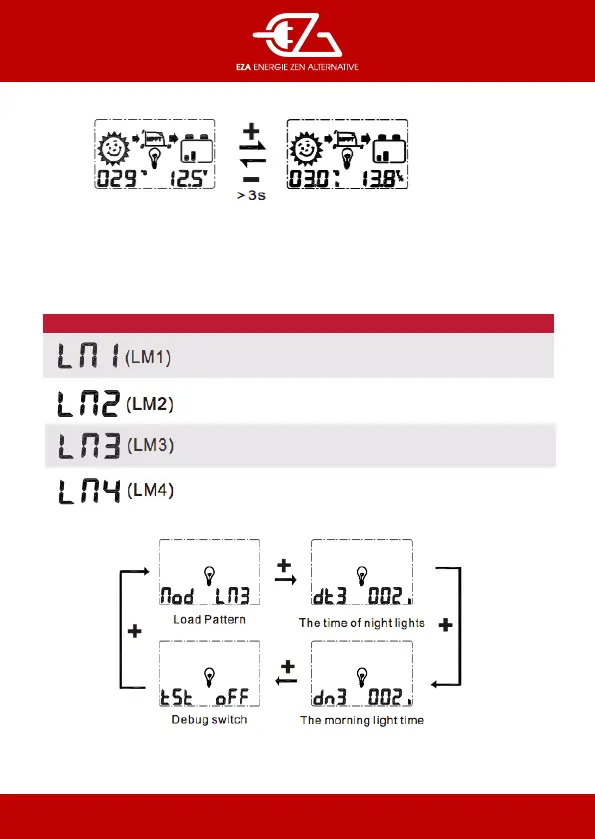
In the main loop of the battery voltage interface
- long press - button, switch to display solar array voltage (e % symbol serves as a distinction) and
internal temperature of the controller (e letter h serves as a distinction)
Interface de voltage
batterie
Information module solaire.
Tension et température
CODE
Regular mode
Light control mode
LOAD PATTERN
Dual time mode
Charge only mode
e load pattern is as bellow :
In load mode 3 (LM3), long press the + to enter the setting interface, then short press + or - to set the
parameters and save aer long pressing + button.
Dual time mode


 To Next Page