9
5 Remote Control
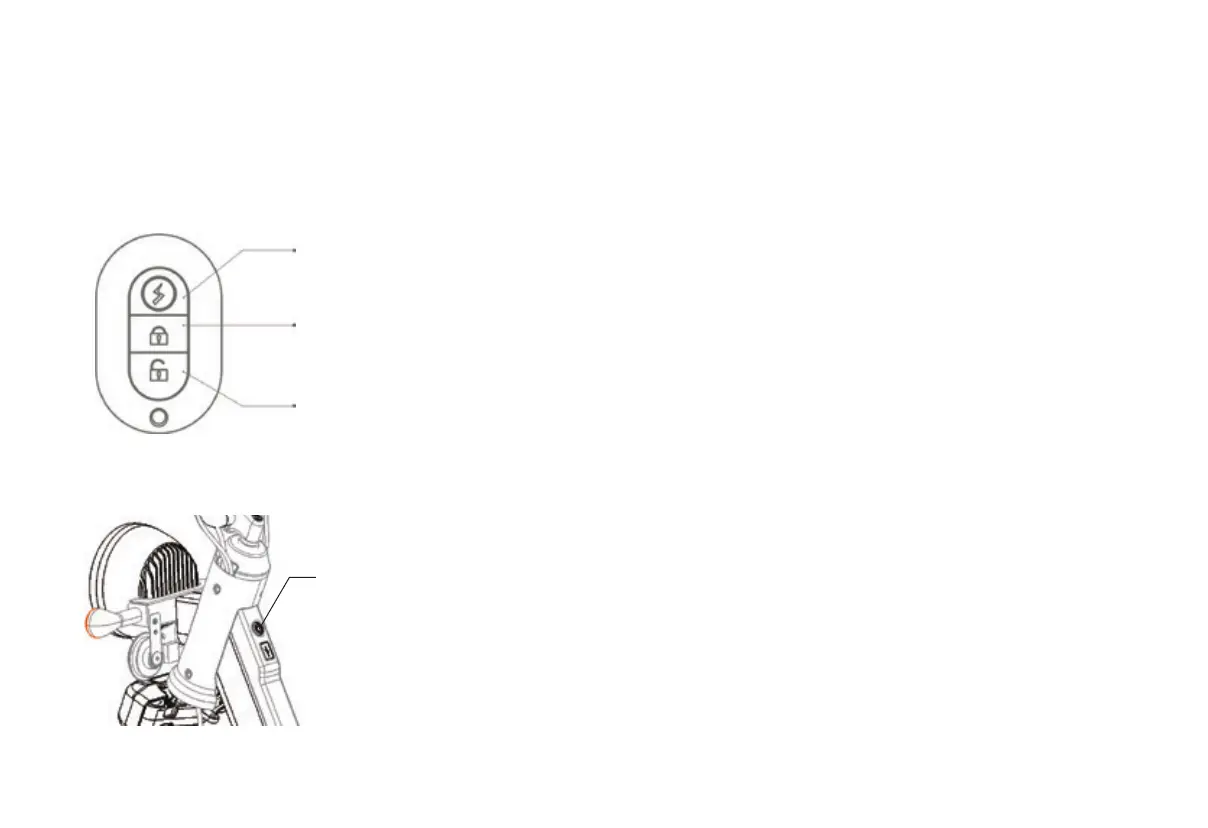
The scooter has a one-key start function,
only need to use the remote contr
ol to
start the scooter.
Start
Lock
Unlock
Power
Lock the scooter
When you finish riding, press the power
button on the scooter to switch from the
st
e
ady light to the flashing state, and
then press the lock button on the remote
control, the scooter will be locked.
Unlock the scooter
W
h
en you press the unlock button on
your remote control, the power button
on the vehicle will light blue and flash,
the scooter is unlocked successfully.
Start the scooter(Method 1)
Press the start button twice on your
remote control when the scooter is
locked. The scooter is now powered,
then press the mode button on your
handle bar. You can ride by turning
the throttle handle.
Start the scooter(Method 2)
Press the power button on the scooter
after unlocked the scooter. The scooter
is now powered, then press the mode
button on your handle bar. You can ride
by turning the throttle handle.


 To Next Page