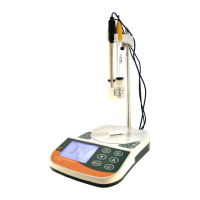
Preparation:
<pH, ORP, COND, TDS, Salt>
1. Connect AC adaptor with power source.
2. Remove the protection cap from the electrode and
connect to input connector.
3. Connect the Temp. probe to meter and turn on the
power switch.
4. Rinse the electrode with clean water and wipe it dry.
<DO>
1. Connect the probe to meter and remove the protection
cap from the probe.
2. Remove the membrane cap carefully.
3. Fill the membrane cap with the electrolyte solution up
to the bottom of the threads on the inside of the cap.
(Please see step 7~10 in “Membrane Cap
Replacement” on page 16 for details)
4. Press button to turn the meter power on.
Calibration:
<pH>
1. Make sure the sensor is pH electrode.
2. Dip the electrode into the buffer solution pH 7.00. Stir
gently and wait until the reading is stable. Press and
hold for 3 sec. to enter calibration mode. The
display will appear CAL and flashing 7.00. When the
display stops flashing and indicates “SA", then "End”
while calibration ends, and will return to measurement
mode.



 To Next Page