7
Appendix
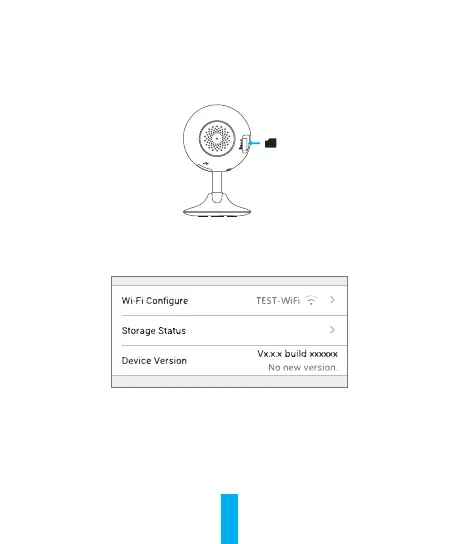
Step 1 Install Memory Card
Insert a microSD card into the slot until a click.
Step 2 Initializing Memory Card
1. In the EZVIZ app, check the memory card status by tapping on the
Storage Status in the Device Settings interface.
2. If the memory card status displays as Uninitialized, tap to initialize it.
The status will then change to Normal.


 To Next Page
 Loading...