5
Step 3 Link Wireless Magnetic Contact with Camera via EZVIZ APP
1
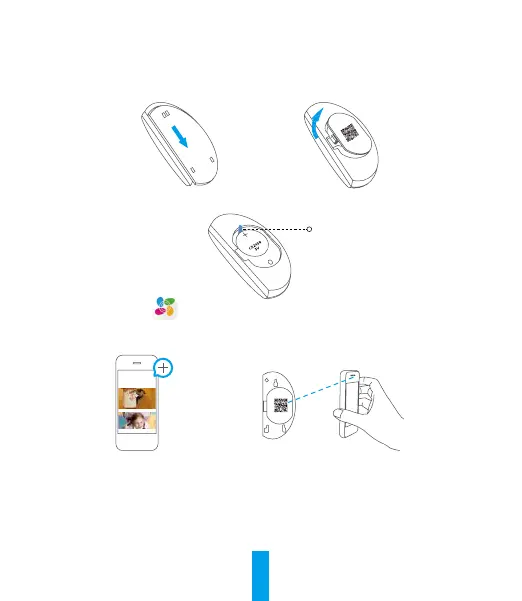
Slide the rear cover off from the detector and then open the battery cover, as shown below.
2
Pull out the insulation sheet from the battery slot, and then put the battery cover back.
Insulation Sheet
3
Log in the EZVIZ app.
Tap + and scan the QR code of the detector.
Tap Link to link the camera and the detector.
4
Put the rear cover back.



 To Next Page
 Loading...