6
Step 4 Link Romote Control or Detectors with Camera
1
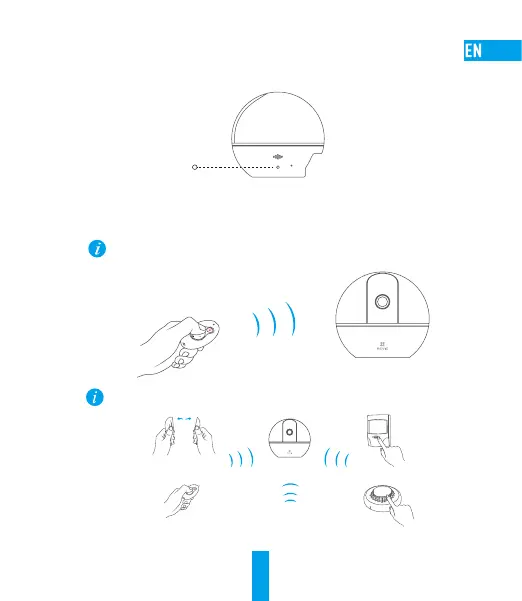
Hold down the Reset button for 1 second.
Reset Button
2
When you hear the voice prompt, take the remote control or other detector close to the camera
and press any button on the remote control or the detector to send registration signal to the
camera.
Pull out the insulation sheet from the battery slot before you use the remote control.
Within 50 cm
You can link more detectors with the camera by following the steps above.
T
U
R
N
T
O
R
E
M
O
V
E
D
O
N
O
T
P
A
I
N
T
……
3
Press Reset button in the camera for 1 second to exit and finish the operation.



 To Next Page
 Loading...