10
Magnetic Contact Introduction
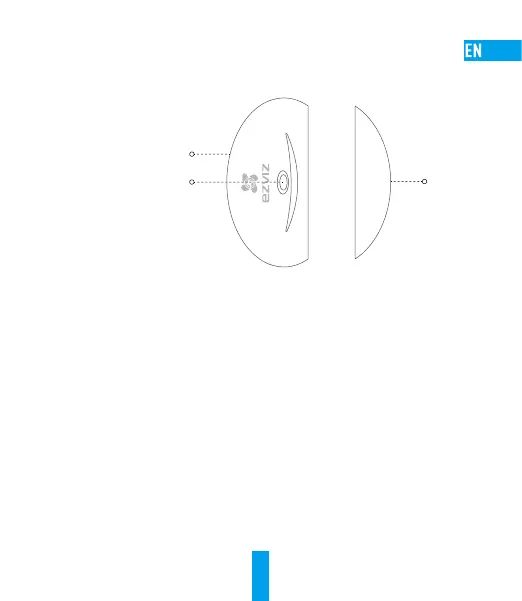
Basics
Main Body
Indicator
Flicker Twice: Alarm Triggered
Flicker Five Times: Low Battery
Magnet
Body
Functions
Based on the magnetism, when the distance between main body and the magnet body exceeds 3 cm, it
sends an alarm signal to the EZVIZ app.
Maintenance
When the battery runs out, a low battery warning will be sent to the EZVIZ account to remind you to
change the battery.
- If you install the main body on the left, push the main body upwards and take it off from the rear
cover; if you install the main body on the right, pull the main body downwards and take it off from the
rear cover.
- Open the battery cover and then change the battery.
- Install the main body back to the rear cover.



 To Next Page
 Loading...