7
SD Card Management
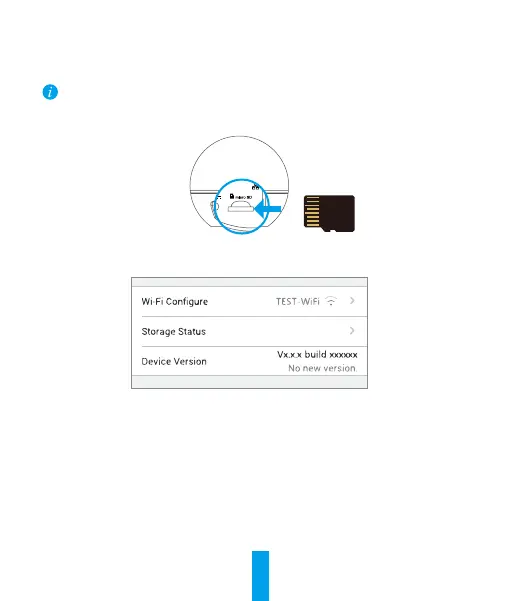
• Insert a MicroSD card into the slot before mounting.
• MicroSD card not included in the Box Contents. Recommended compatibility: Class10,
Max.128GB.
1. In the EZVIZ app, tap the Storage Status in the Device Settings interface to check the SD card
status.
2. If the memory card status displays as Uninitialized, tap to initialize it.
The status will then change to Normal and it can store videos and/or pictures.



 To Next Page
 Loading...