3
Step 2 Camera Setup
1. Create a user account
- Connect your mobile phone to Wi-Fi using your 2.4GHz network.
- Search for "EZVIZ" in the App Store or Google Play
(TM)
.
- Download and install the EZVIZ app.
- Launch the app.
- Create, and register an EZVIZ user account by following the startup wizard.
2. Adding a camera to EZVIZ
- Log in to your account using the EZVIZ app.
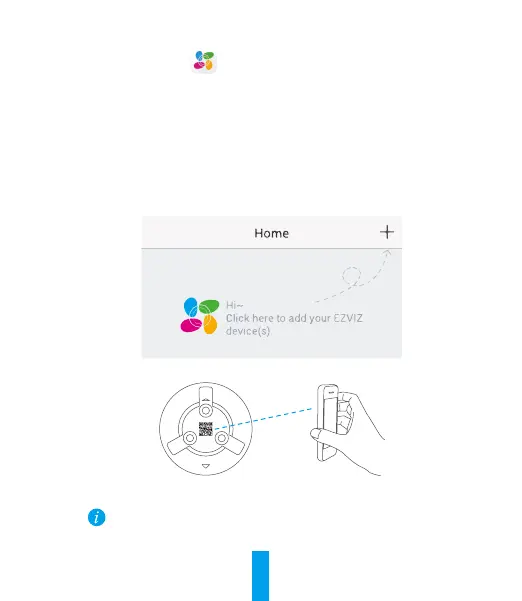
- Tap "+" on the Home page to go to the Scan QR Code interface.
- Scan the QR Code on the camera.
- Follow the EZVIZ app wizard to finish Wi-Fi configuration.
If your product is 2.4GHz only, we kindly recommend you switch off router’s
5GHz first to proceed adding process.



 To Next Page
 Loading...