EasyManua.ls Logo

Ezviz SD7 - User Manual

Ezviz SD7
15 pages
Print Icon
To Next Page IconTo Next Page
Loading...
COPYRIGHT © Hangzhou EZVIZ Software Co., Ltd. ALL RIGHTS RESERVED.
Any and all information, including, among others, wordings, pictures, graphs are the properties of Hangzhou EZVIZ Software Co.,
Ltd. (hereinafter referred to as “EZVIZ”). This user manual (hereinafter referred to as “the Manual”) cannot be reproduced, changed,
translated, or distributed, partially or wholly, by any means, without the prior written permission of EZVIZ. Unless otherwise
stipulated, EZVIZ does not make any warranties, guarantees or representations, express or implied, regarding to the Manual.
About this Manual
The Manual includes instructions for using and managing the product. Pictures, charts, images and all other information
hereinafter are for description and explanation only. The information contained in the Manual is subject to change, without notice,
due to firmware updates or other reasons. Please find the latest version in the ™ website (http://www.ezviz.com).
Revision Record
New release – January, 2023
Trademarks Acknowledgement
™, ™, and other EZVIZ’s trademarks and logos are the properties of EZVIZ in various jurisdictions. Other trademarks and
logos mentioned below are the properties of their respective owners.
Legal Disclaimer
TO THE MAXIMUM EXTENT PERMITTED BY APPLICABLE LAW, THE PRODUCT DESCRIBED, WITH ITS HARDWARE, SOFTWARE AND
FIRMWARE, IS PROVIDED “AS IS”, WITH ALL FAULTS AND ERRORS, AND EZVIZ MAKES NO WARRANTIES, EXPRESS OR IMPLIED,
INCLUDING WITHOUT LIMITATION, MERCHANTABILITY, SATISFACTORY QUALITY, FITNESS FOR A PARTICULAR PURPOSE, AND
NON-INFRINGEMENT OF THIRD PARTY. IN NO EVENT WILL EZVIZ, ITS DIRECTORS, OFFICERS, EMPLOYEES, OR AGENTS BE
LIABLE TO YOU FOR ANY SPECIAL, CONSEQUENTIAL, INCIDENTAL, OR INDIRECT DAMAGES, INCLUDING, AMONG OTHERS,
DAMAGES FOR LOSS OF BUSINESS PROFITS, BUSINESS INTERRUPTION, OR LOSS OF DATA OR DOCUMENTATION, IN
CONNECTION WITH THE USE OF THIS PRODUCT, EVEN IF EZVIZ HAS BEEN ADVISED OF THE POSSIBILITY OF SUCH DAMAGES.
TO THE MAXIMUM EXTENT PERMITTED BY APPLICABLE LAW, IN NO EVENT SHALL EZVIZ’S TOTAL LIABILITY FOR ALL
DAMAGES EXCEED THE ORIGINAL PURCHASE PRICE OF THE PRODUCT.
EZVIZ DOES NOT UNDERTAKE ANY LIABILITY FOR PERSONAL INJURY OR PROPERTY DAMAGE AS THE RESULT OF PRODUCT
INTERRUPTION OR SERVICE TERMINATION CAUSED BY: A) IMPROPER INSTALLATION OR USAGE OTHER THAN AS REQUESTED;
B) THE PROTECTION OF NATIONAL OR PUBLIC INTERESTS; C) FORCE MAJEURE; D) YOURSELF OR THE THIRD PARTY,
INCLUDING WITHOUT LIMITATION, USING ANY THIRD PARTY’S PRODUCTS, SOFTWARE, APPLICATIONS, AND AMONG OTHERS.
REGARDING TO THE PRODUCT WITH INTERNET ACCESS, THE USE OF PRODUCT SHALL BE WHOLLY AT YOUR OWN RISKS.
EZVIZ SHALL NOT TAKE ANY RESPONSIBILITES FOR ABNORMAL OPERATION, PRIVACY LEAKAGE OR OTHER DAMAGES
RESULTING FROM CYBER ATTACK, HACKER ATTACK, VIRUS INSPECTION, OR OTHER INTERNET SECURITY RISKS; HOWEVER,
EZVIZ WILL PROVIDE TIMELY TECHNICAL SUPPORT IF REQUIRED. SURVEILLANCE LAWS AND DATA PROTECTION LAWS VARY
BY JURISDICTION. PLEASE CHECK ALL RELEVANT LAWS IN YOUR JURISDICTION BEFORE USING THIS PRODUCT IN ORDER
TO ENSURE THAT YOUR USE CONFORMS TO THE APPLICABLE LAW. EZVIZ SHALL NOT BE LIABLE IN THE EVENT THAT THIS
PRODUCT IS USED WITH ILLEGITIMATE PURPOSES.
IN THE EVENT OF ANY CONFLICTS BETWEEN THE ABOVE AND THE APPLICABLE LAW, THE LATTER PREVAILS.
Question and Answer IconNeed help?

Do you have a question about the Ezviz SD7 and is the answer not in the manual?

Overview

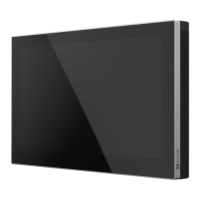
This document serves as a comprehensive user manual for an EZVIZ device, providing instructions for its use, management, and maintenance. The device appears to be a smart screen, likely intended for home security or smart home management, given its integration with EZVIZ apps and potential connections to door locks, doorbells, and cameras.

Function Description

The EZVIZ device is primarily a smart screen designed to integrate with the EZVIZ ecosystem. Its core function is to provide a central interface for managing and interacting with various linked EZVIZ devices, such as door locks, doorbells, and cameras. Users can view live feeds from connected cameras, take snapshots, record videos, and adjust video definitions directly from the screen. The device supports Wi-Fi connectivity (specifically 2.4G Wi-Fi) to facilitate communication with the EZVIZ app and other network-connected devices. It is equipped with a rechargeable lithium-ion battery, allowing for portable use and ensuring functionality even during power outages. The screen itself is not an ordinary display but a dedicated smart screen, indicating its specialized role within the EZVIZ smart home system.

Usage Features

The device offers a range of features designed for ease of use and comprehensive smart home management:

  • EZVIZ App Integration: The device is designed to be added and managed through the EZVIZ mobile application. Users can log into their EZVIZ account, complete network connections, and scan a QR code (found on the Quick Start Guide, device body, or screen interface) to add the device to their app. The app provides an intuitive interface for controlling and monitoring the smart screen and its linked devices.
  • Live View and Device Management: Through the EZVIZ app, users can access a "Live View" interface that displays linked devices. From this view, it's possible to play live feeds from corresponding devices, take snapshots, record videos, and select desired video definitions. The app also allows for detailed settings adjustments and viewing information about linked devices.
  • Screen Control: The device features a power button with multiple functions:
    • Pressing once in "Wake State" turns the backlight on/off.
    • Pressing and holding for 3 seconds in "Wake State" shuts down or starts up the screen via touch.
    • Pressing once in "Sleep Mode" wakes and lights the screen.
    • Pressing and holding for 3 seconds in "Off Mode" starts up the device.
    • Pressing and holding for 12 seconds in "On Mode" forces a restart.
  • Settings Customization: The device offers various settings accessible through the EZVIZ app, including:
    • Notification Management: Control EZVIZ App notifications.
    • Audio Settings: Adjust relevant audio parameters for the device.
    • Screen Settings: Configure screen brightness and auto-lock-screen time.
    • Battery Information: View the remaining battery capacity.
    • Network Settings: Check the connection status.
    • Device Information: Access details like space, type, serial number, device version, and user guide.
    • More Options: Transfer the device or authorize it on the screen.
    • Restart/Delete Device: Options to restart the device or delete it from the EZVIZ App.
  • Flexible Installation: The device can be installed in two primary ways:
    • Wall/Door Mount: Using a wall mount bracket, the device can be securely affixed to a wall or door. Installation involves selecting a suitable position, attaching a drilling template (for cement walls), drilling holes, inserting anchors, and using screws to fix the bracket. Alternatively, a 3M sticker can be used for installation on clean, dry, flat surfaces, with specific recommendations for iron surfaces and a 24-hour waiting period for optimal adhesion. The device then slides onto the bracket, aligning hanging grooves with positioning pins.
    • Desktop Placement: A desktop bracket allows the device to be placed on a flat surface. The bracket is assembled, and the device is then aligned and slid onto the bracket in a similar manner to the wall mount.
  • Orientation Switching: The device supports both landscape and portrait orientations, allowing users to switch as needed. For an optimal experience when connecting to a video lock, portrait mode is recommended.
  • Multi-Device Connectivity: Devices under the same EZVIZ account can be connected to the smart screen, regardless of whether they are on the same local network, facilitating centralized management of multiple EZVIZ products.

Maintenance Features

While the manual doesn't explicitly detail extensive "maintenance features" in the traditional sense (like cleaning instructions), it provides important information related to the device's longevity, battery care, and data management:

  • Battery Charging: The device is equipped with a 4600mAh rechargeable lithium battery. For optimal performance and battery health, it is recommended to use the original power adapter (5V 2A, purchased separately) for charging. The battery power can be viewed on the screen interface.
  • Automatic Sleep Mode: The screen is designed to enter sleep mode automatically after a period of inactivity, which helps conserve battery life and potentially prolong the screen's operational lifespan.
  • Data Management and Privacy: The manual emphasizes the user's responsibility for data privacy. It advises users to delete personal data from the device before disposal, especially since waste equipment often contains sensitive personal information. This highlights a crucial aspect of device maintenance related to data security.
  • Firmware Updates: The manual states that the information contained within is subject to change due to firmware updates. This implies that EZVIZ regularly provides updates, which often include performance improvements, bug fixes, and new features, contributing to the device's ongoing functionality and security. Users are encouraged to check the EZVIZ website for the latest version of the manual, indicating a commitment to supporting the device through software enhancements.
  • Technical Support: In cases of abnormal operation, privacy leakage, or other damages resulting from cyber attacks, hacker attacks, virus inspection, or other internet security risks, EZVIZ commits to providing timely technical support. This ensures users have assistance in maintaining the security and functionality of their device.
  • Waste Equipment Disposal: The manual provides detailed information on the proper disposal of the device and its components (batteries, rechargeable batteries) in accordance with environmental regulations. This guidance on responsible end-of-life management is a form of long-term maintenance, ensuring the device's impact on the environment is minimized. It also highlights the importance of separating waste equipment from unsorted municipal waste and utilizing special collection and return systems.

Ezviz SD7 Specifications

General IconGeneral
Lens4.8 mm to 120 mm, 25 ×
Power Supply24 VAC
WeatherproofIP66
Day & NightYes
Video CompressionH.265
Smart FeaturesMotion detection
Pan Range360°
Network InterfaceEthernet
Local StorageMicroSD card (up to 256GB)
Operating Humidity90% or less (non-condensing)