7
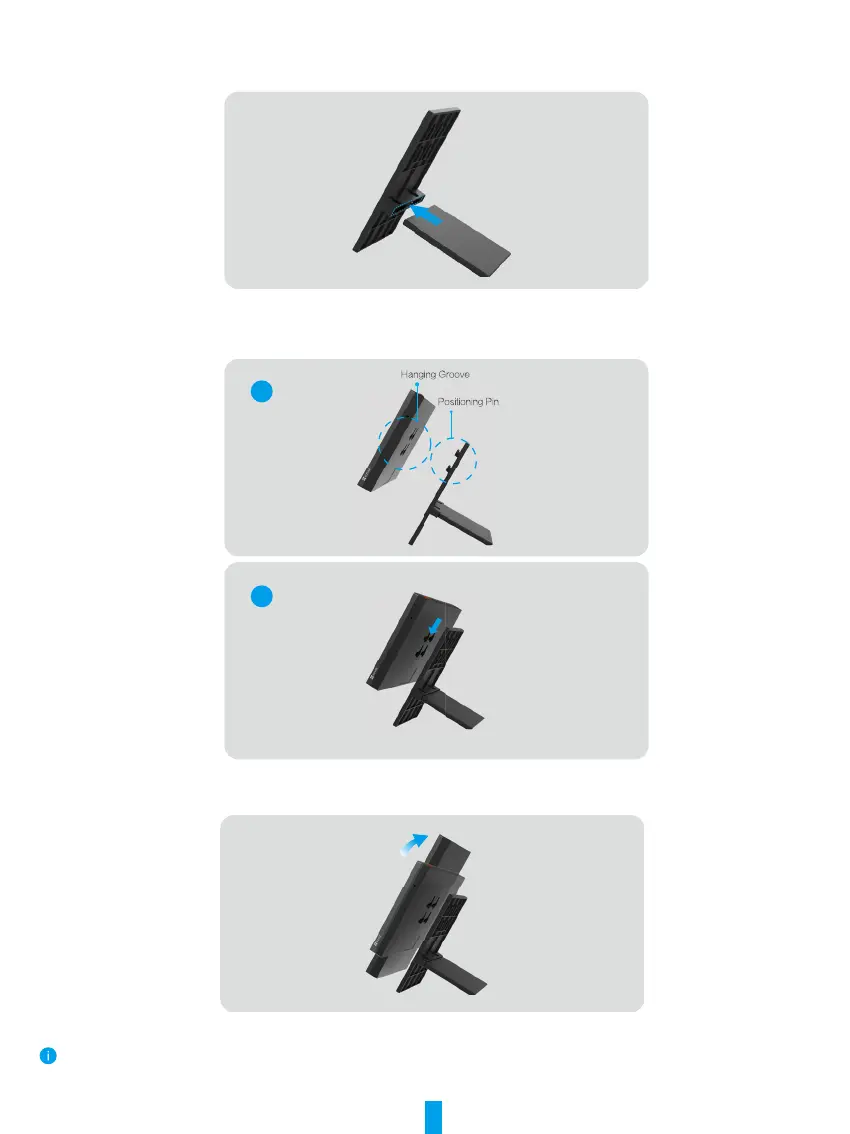
Desktop Placement
1. Assemble desktop bracket according to the following gure.
2. Align the hanging grooves on the back of the device with the positioning pins on the wall mount bracket and insert it.
3. Slide the screen downward to ensure a rmly assembly.
1
2
4. You can switch landscape or portrait as needed.
For a better experience, recommended to use portrait mode when connecting to the video lock.


 To Next Page