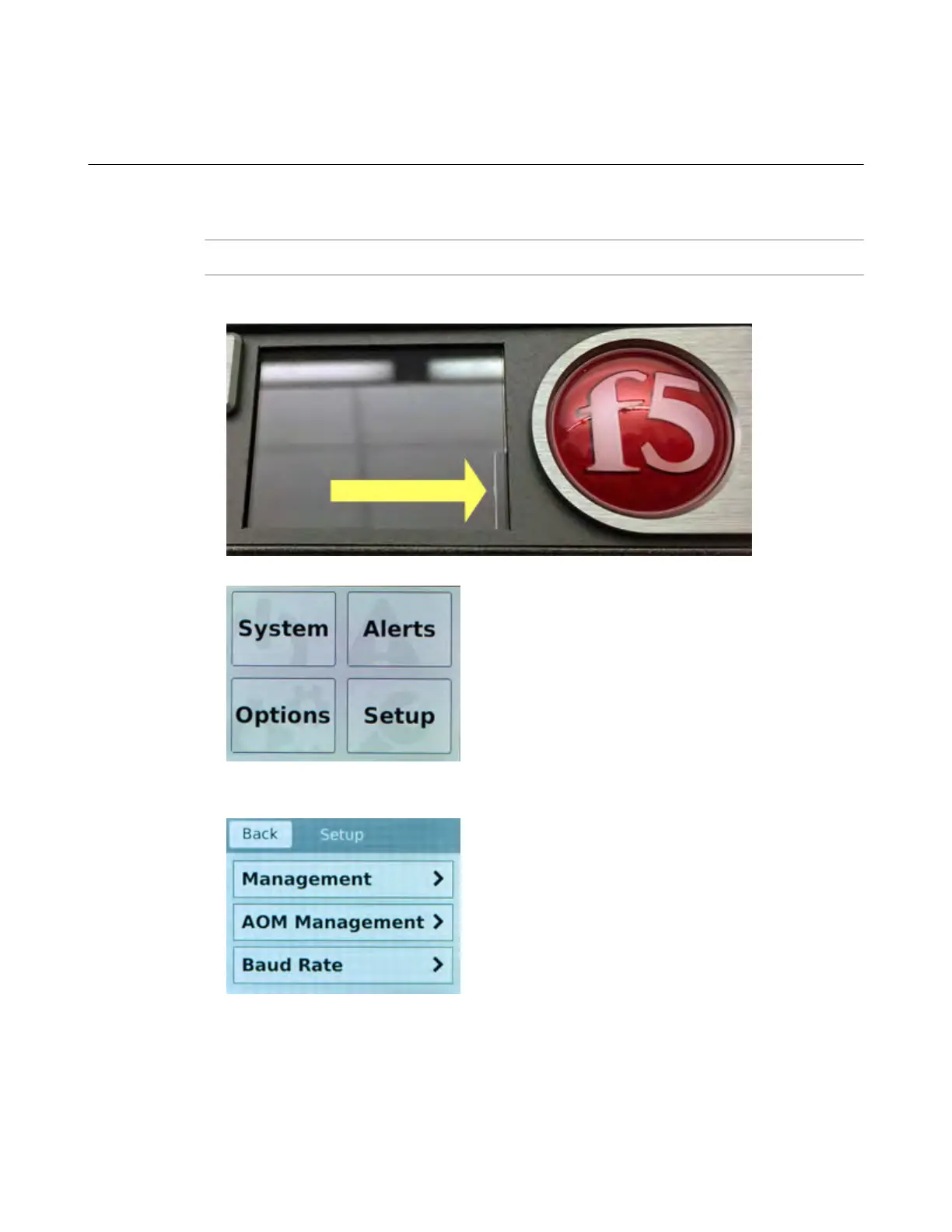
Configure a management IP address using the LCD
You can use the touchscreen LCD to configure the management IP address. With the management IP
address, you can access the Configuration utility to configure other aspects of the product, such as the
product license, VLANs, and trunks.
Note: When using the LCD to configur
e the unit, be sure to use the Commit option to save all settings.
1. (Optional) Remove the protective film from the LCD panel using the small cutout on the lower right
corner of the film.
2. T
ouch the screen to activate the LCD menus.
3. Tap Setup.
The Setup screen displays.
4. T
ap Management.
The Management screen displays.
Platform Guide: i2000/i4000 Series
29



 To Next Page