EasyManua.ls Logo

FAAC T-Mode TM 45 - User Manual

FAAC T-Mode TM 45
28 pages
Print Icon
To Next Page IconTo Next Page
Loading...
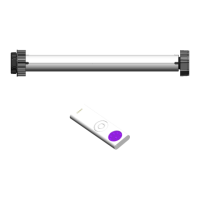
TM 45 P&P PLUS
TM 45 P&P PLUS
RADIO
RADIO
T-MODE
T-MODE

Other manuals for FAAC T-Mode TM 45

Questions and Answers

  • C
    Charles PetersAug 6, 2025
    What to do if my FAAC Engine motor, without set travel limits, does not accept remote control commands?
    • C
      christopher00Aug 6, 2025
      If your FAAC Engine motor, which does not have set travel limits, isn't responding to the remote control, the remote control may not be memorized. To resolve this, memorize the first remote control.
  • M
    Melissa ForbesAug 13, 2025
    What to do if the FAAC Engine motor already has set travel limits but does not accept the remote control commands?
    • E
      emma86Aug 13, 2025
      If your FAAC Engine motor already has set travel limits but isn't responding to remote control commands, here are a few potential reasons: * The sun sensor might be active. If so, turn off the sun sensor. * The remote control might be de-memorized. In this case, you should perform memorization of the first remote control. * If there are no other remote controls, totally delete the memory and follow the memorising procedure for the single remote control. * If there are other working remote controls, perform the procedure for adding remote controls and re-memorise (see remote control instructions)
  • N
    Nicole MurphyAug 20, 2025
    Why does my FAAC T-Mode TM 45 Engine motor move briefly three times in both directions each time it receives a command?
    • D
      davisdestinyAug 20, 2025
      If your FAAC Engine motor moves briefly three times in both directions each time it receives a command, it means that the motor is in advanced menu mode. To exit this mode, keep the stop/preferred position push-button pressed for 7 seconds.
  • J
    julie88Aug 28, 2025
    Why does my FAAC T-Mode TM 45 motor perform three brief movements in both directions each time it is powered on?
    • C
      Cindy WilsonAug 28, 2025
      If your FAAC Engine motor performs three brief movements in both directions each time it is powered on, it means that the motor is in advanced menu mode. To exit this mode, keep the stop/preferred position push-button pressed for 7 seconds.

Summary

CE Declaration of Conformity

Installer Safety Warnings

General Safety Precautions

Follow all instructions carefully to prevent harm to people. Keep for future reference.

Product Intended Use

Use only as described; unauthorized use may compromise integrity or pose danger.

Power Disconnection Before Work

Disconnect electrical power before performing any system operations.

Qualified Personnel Installation

Installation must be done by skilled personnel according to current regulations.

Required Power Switch

Install a multi-pole power switch with at least 3mm contact gap on the mains.

Minimum Installation Height

The automated system must be installed at a minimum height of 2.5 meters.

Residual Current Device (RCD)

Ensure an RCD with a 0.03A threshold is upstream of the system.

Appliance Visibility

The appliance must always be visible when handled or operated.

Proximity During Operation

Do not allow children or adults near the product during operation.

Remote Control Storage

Keep remote controls out of children's reach to prevent accidental activation.

User Repair Prohibition

Users must not attempt repairs; contact qualified personnel only.

Product Technical Specifications

Essential Application Requirements

Motor Operation and Features

Installation and Mounting Guide

Electrical Wiring Connections

Remote Control Operation Wiring

Wiring diagram for motors controlled solely by remote control.

Motor Control by Remote and Switch

Motor Control by Remote and Step Button

Storing Remote Controls

Type 1-4 Remote Control Storage

Type 2-3 Remote Control Storage

Inverting Motor Rotation Direction

Adding Additional Remote Controls

Cancelling a Single Remote Control

Enabling Single Step Button Operation

Resetting Memory and Factory Configuration

Reset via Remote Control

Procedure to reset memory and restore factory settings via remote control.

Disabling the Internal Radio Receiver

FAAC T-Mode TM 45 Specifications

General IconGeneral
BrandFAAC
ModelT-Mode TM 45
CategoryEngine
LanguageEnglish

Related product manuals