XR18 User Guide – Usage with external router
The Behringer XR18 is equipped with a built-in WiFi router. Switched to its’ “Access Point” mode
users can remote-control the XR18 immediately out-of-the-box with up to 4 devices simultaneously.
This certainly has great advantages:
Advantages of internal WiFi router (“Access Point” operation)
No external equipment (Router or Ethernet cable) required to get started
Zero setup or configuration time – get connected instantly
XR18 is a true single all-in-one device – just one mains connection required
Integrated DHCP Server – XR18 automatically leases IP addresses to connected devices
XR18 is truly ultra-portable & purely plug & play.
However, for critical jobs where uninterrupted control is paramount (e.g. live-situation with
audience) this configuration is risky resp. can be insufficient performance-wise.
Disadvantages of internal router in WiFi mode (“Access Point”)
WiFi operation is generally unsecure for mission-critical jobs
2.4 GHz band is very crowded (WLAN, Hotspots, Wireless audio on stage, Bluetooth, etc.)
Internal router can’t handle more than 3-4 remote-devices
Only WEP password protection for WiFi signal
Field-strength might be critical -> positioning options of remote-devices limited
To ensure uninterrupted control XR18 can be used with an external router via Ethernet.
All desired remote-devices can then be connected to the external router (wirelessly or wired).
Advantages of external router:
No need to purely rely on WiFi - cable connection to external router
Wireless remote devices (e.g. tablets) use 5GHz WiFi band (provided router is 5GHz capable)
More remote-devices can be connected & be used simultaneously (up to 10)
WPA/WPA2 key-protection for WiFi network
External antenna for higher field-strength can be used
More flexibility where to strategically position XR18 and remote-devices (on-stage <-> FOH)
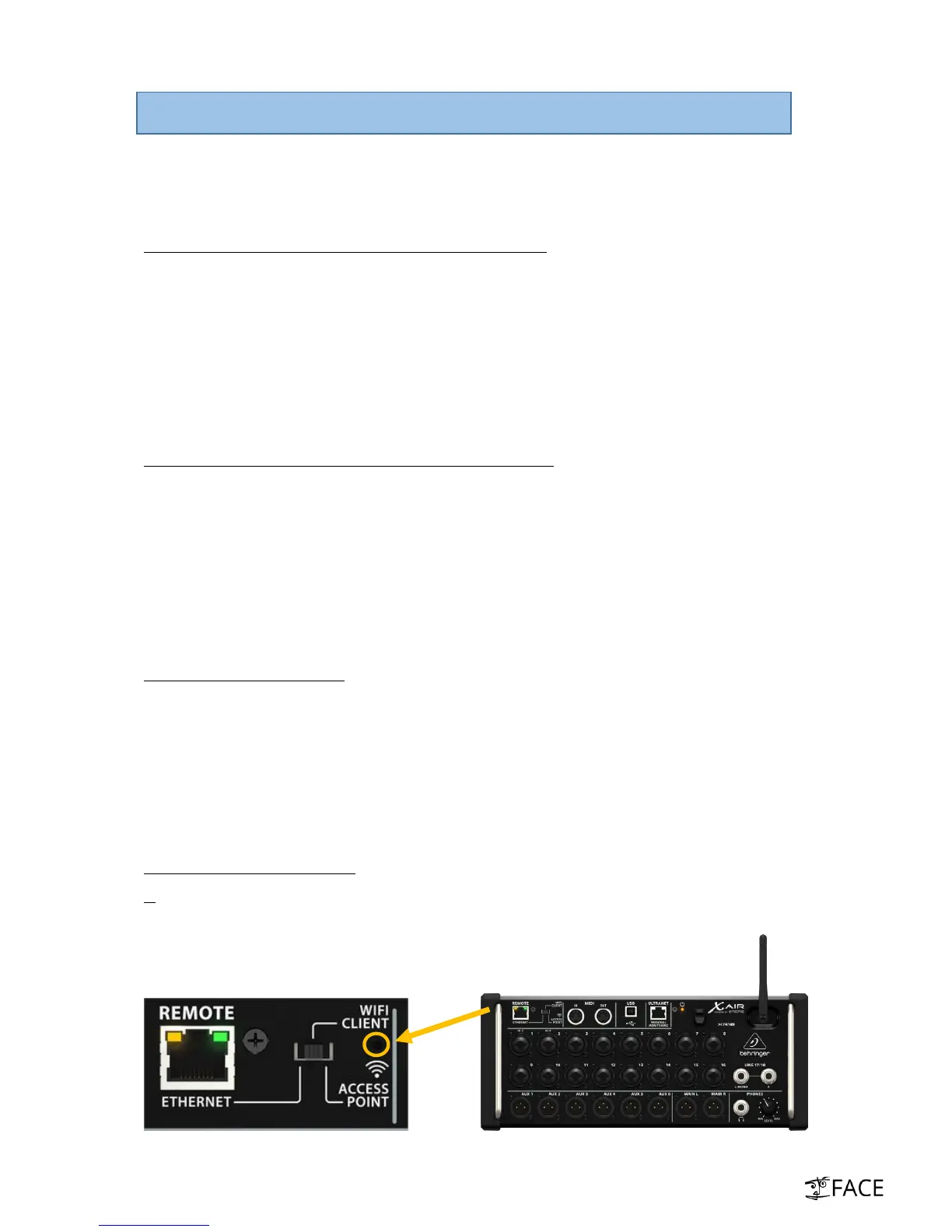
Reset XR18 network parameters
IF no specific network parameters were set beforehand, please reset XR18 network settings before
getting started. To do this: Press and hold the reset buttons for 2-3 seconds (see pic below).
ATTENTION: If you hold the reset-button for 10 seconds the whole mixer will be reset!



 To Next Page