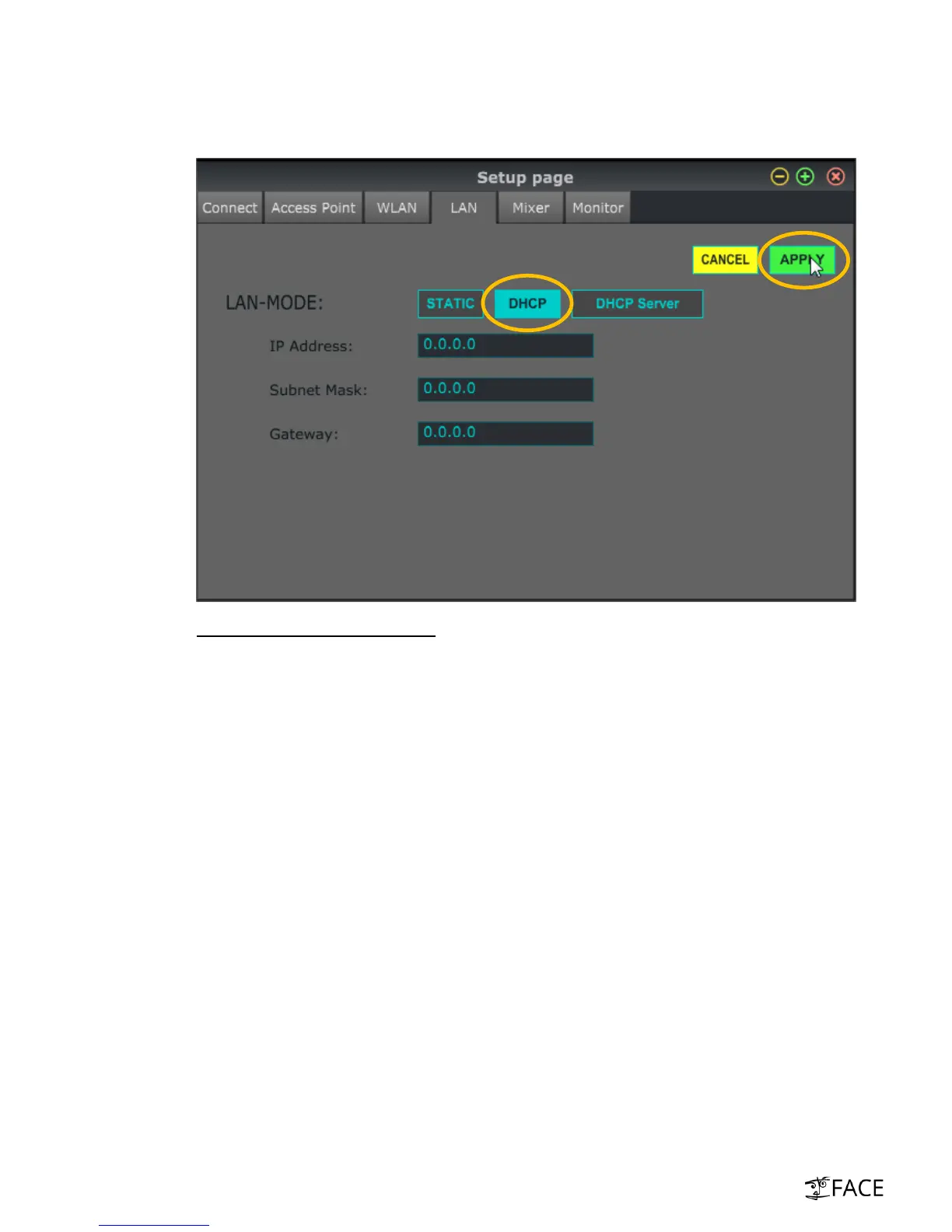
vi. There are three connection-modes when using LAN (see below). Please select “DHCP” and
click on “apply”. XR18 is now set to DHCP (client) connection mode.
Three LAN connection mode options
DHCP
Recommended setting for this application (-> connection to external router)
XR18 is configured as DHCP client
XR18 requests IP address lease from external DHCP-enabled router
DHCP Server
XR18 is in charge as DHCP server
XR18 owns IP addresses and leases them to remote-devices that want to connect
o XR18 always is 192.168.1.1
o XR18 leases IP addresses 192.168.1.101 – 192.168.1.132
Recommended for
o Point-to-point connection to Laptops (reduces connection time massively)
o Network-switches
o Routers without DHCP
Static
XR18 uses specific IP address, Subnet Mask and Gateway (values need to be entered)
Ensures clear identification of XR18 in an existing network environment
Reliable access e.g. in fixed network installations
Only recommended for network-experts



 To Next Page