Step-by-Step Guide – XR18 usage with external router
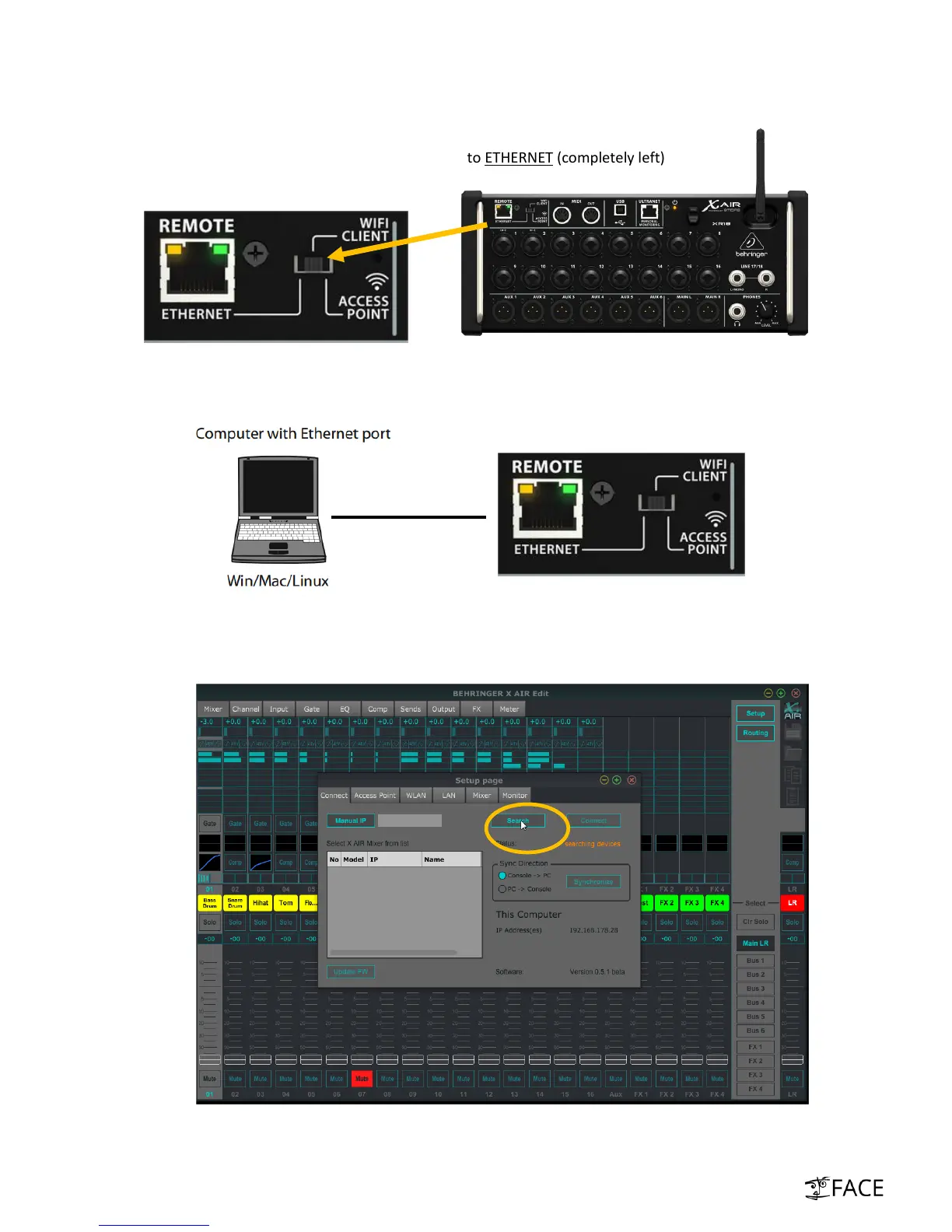
i. Set REMOTE-mode switch on front panel to ETHERNET (completely left)
ii. Establish point-to-point LAN connection to Laptop in order to configure XR18
iii. Launch XAir App and open “Setup”. Click on “Search”. Detection may take up to 60 sec.
Can happen on MAC OSX: In case XR18 is not detected please turn-off WiFi resp. ensure that
the XR18 LAN is the only active network connection



 To Next Page