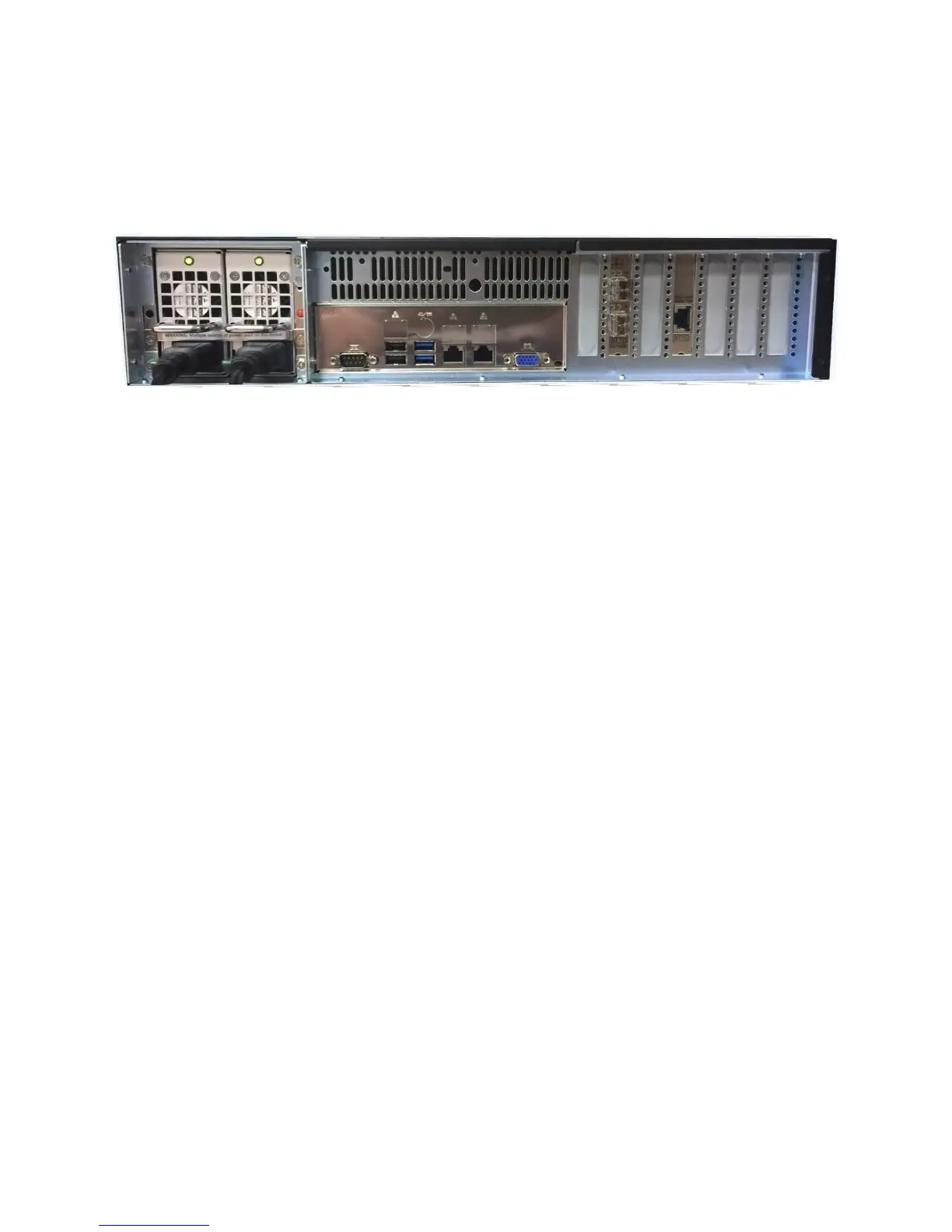
Hub Server Rear Panel
The rear panel (back of the server) is the location for Hub Member Server connectivity,
direct connect client connectivity, switch hardware connectivity, and control / monitor ports.
Power supply cabling and cooling fans are also located in this area. There are seven (7)
PCIe low profile slots to share between clients and member connectivity.
Power Supplies – Hub Server includes redundant Power Supplies. One power supply
in the Hub Server chassis is replaceable while the unit is running.
VGA – The VGA port is available for monitoring the server locally; attaching a monitor
(not supplied) to the server is necessary for software installation and troubleshooting. A
standard 15-pin VGA monitor cable is supported.
USB – There are 4 USB ports on the rear panel (2 x USB 3.0, 2 x USB 2.0)
Ethernet – The Ethernet ports are supplied for network access to the unit,
communication to the optional Fibre Channel switch, and when used in conjunction with
the Facilis Shared File system, access from Ethernet clients to the Hub Server virtual
volumes. Direct Ethernet connectivity can be configured using a single Gigabit Ethernet
port on the server. A combination of 2 or more Gigabit Ethernet ports (additional
Ethernet hardware may be added) can be (Teamed) for additional bandwidth and
performance.
Fibre Channel/Ethernet Slots – The number and type of Fibre Channel and Ethernet
host bus adapters (HBAs) may vary depending on your configuration. There is a
maximum of 7 HBAs that can be added. This can be all Fibre Channel HBAs, all 10Gbit
Ethernet, or a combination of both.



 To Next Page