8025/8030 CNC OPERATING MANUAL 5
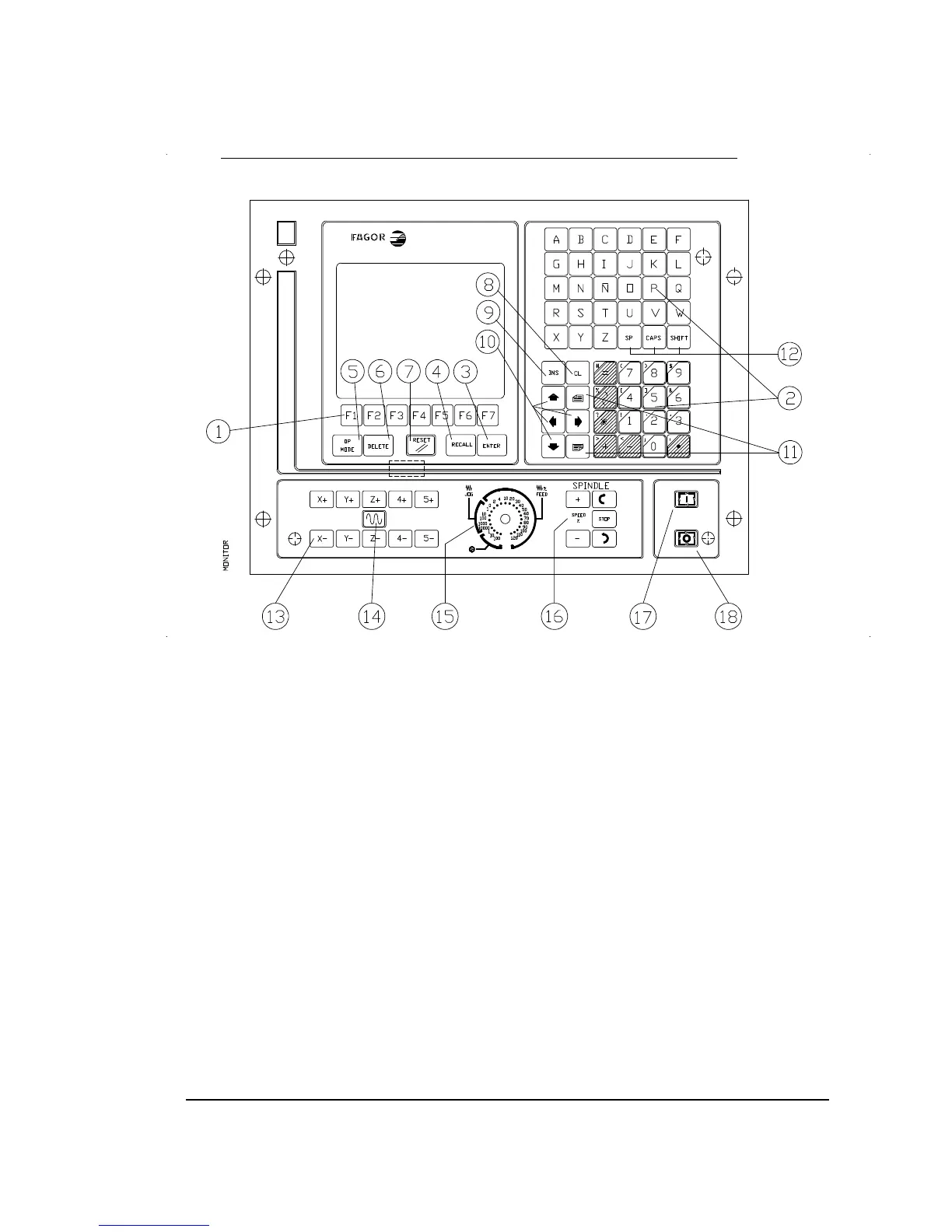
2.3. MONITOR/KEYBOARD/CONTROL PANEL FOR THE 8025 CNC
1. Function keys (SOFT-KEYS)
2. Alphanumeric keyboard for editing programs.
3. ENTER. Allows information to be entered in the CNC memory, etc.
4. RECALL. To access a program, a block within a program,etc.
5. OP MODE. Allows a list of operating modes to be displayed on the screen. It is a previous
step to accessing any of them.
6. DELETE. It allows deletion of a complete program or a block of the programme. Deletion
of the graphic representation, etc.
7. RESET. To revert the CNC to the initial conditions and recognise new machine parameter
values, decoded M functions, etc.



 To Next Page