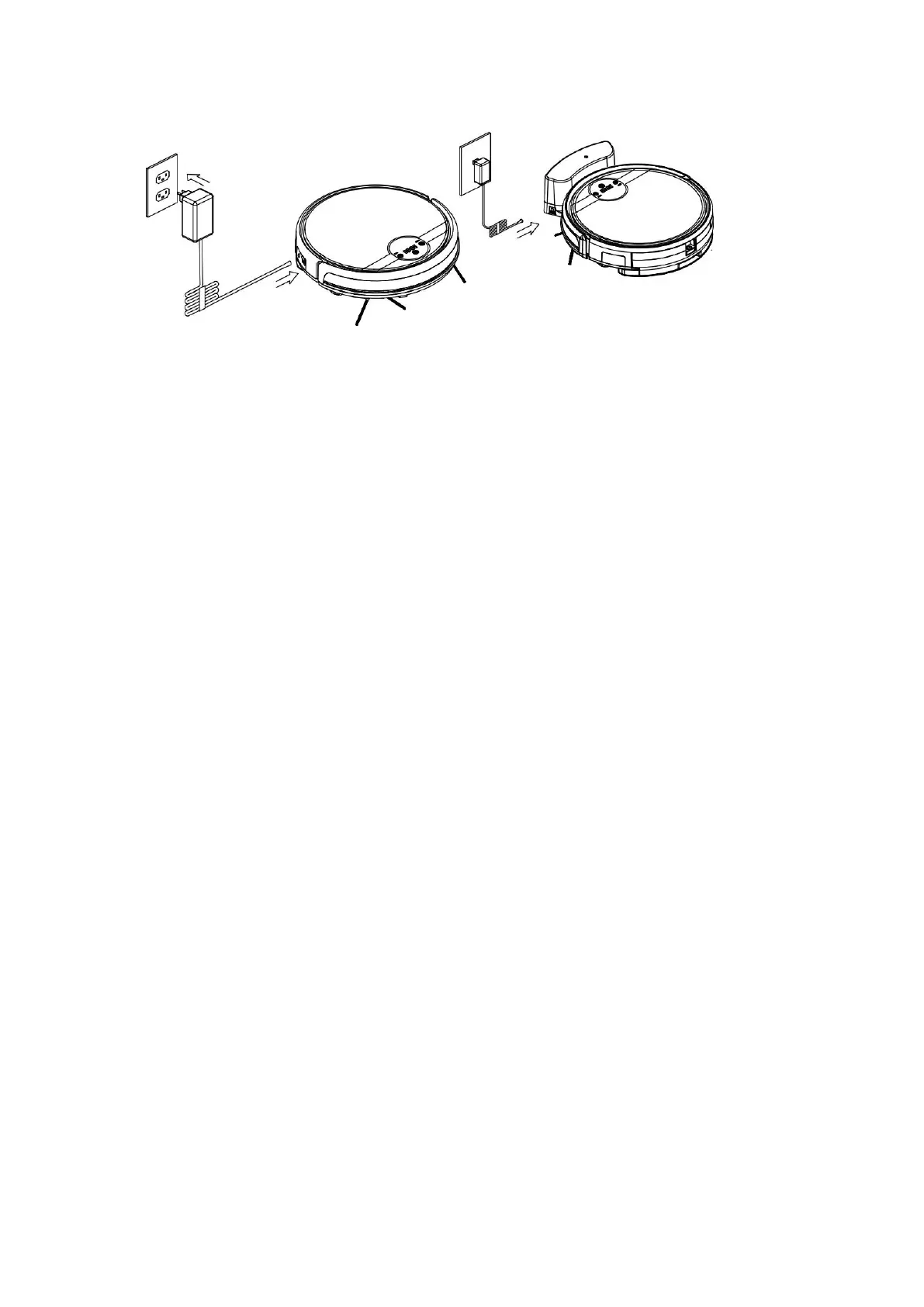
Fig a Fig b
Note:
a. When robot is in charging, LED panel will gradually show “1111” from left to right.
b. When charging is o
ver, LED panel will show “FULL”
c. In standby sta
tus, the robot will broadcast voice “Please Charge” when battery level is low
d. In w
orking s
t
a
tus, the robot will looking for charging docking automatically when battery level is
low.
In Order to Extend Battery’s Life
a. Please charge the robot up to 12 hours in first charging.
b. Charge the robo
t as soon as possible when battery capacity is low
c. The robot wil
l return to the charging docking automatically when accomplish cleaning or
battery capacity is low.
d. When you wil
l not use the robot for some time, please fully charge the battery first, then switch
off the robot and keep it in a cool but dry place.
e. If the robot ha
s been put aside over 3 months, please charge the robot for 12 hours first before
use it for cleaning.
Product Operation
Starting Up/ Standby/ Sleeping
13



 To Next Page