Note:
A. in time setting process, press “ON/OFF” key on remote control to confirm the hour and
minutes setting. Press “PLAN” on remote control to enter or quit time setting.
B. “ON/OFF” on remote control is the same function as “
” on robot body.
Cleaning Modes
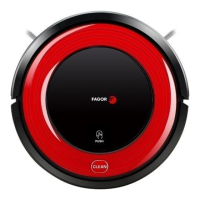
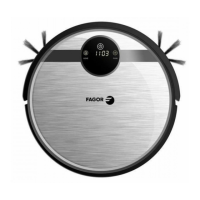
The robot
have 4 different cleaning modes to meet different cleaning request.
1. Automatic Cleaning Mode
In standby status, press on robot body or press “ON/OFF” on remote control, robot will
enter automatic cleaning mode.
2. Spot Cleaning Mode
It is suggested that users could select spot cleaning mode when robot cleans around the areas
with much dust/dirt
3. Edge Cleaning Mode
Under edge cleaning mode, robot will do cleaning along the obstacle by its side brushes.
4. Zig-Zag Cleaning Mode
Robot will automatically goes into zig-zag cleaning when it detected it’s in an open area or the
environment with less obstacles.
You can select the cleaning mode when the robot is cleaning, press the MODE button on remote
control to select the cleaning mode, the mode type will appear on the robot’s 4 Digits LED Display
as follow:
A.
1111: Spot Cleaning Mode
17
B.
2222: Auto Cleaning Mode
C.
3333: Edge Cleaning Mode
D.
4444: Zig-Zag Cleaning Mode


 To Next Page