1. Starting Up
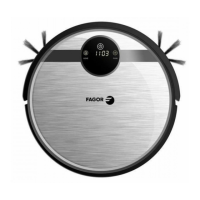
A. Switch On the robot by turn on the switch button at right side of the robot.
B. In Standby st
atus, press “ ” on robot or “ON/OFF” on remote control to start up the robot.
Note: If the robot is in Sleeping status, press “ ” on robot or “ON/OFF” on remote control to
wake up the robot first, then press again to make robot start up cleaning.
Standby means the robot is power on, waiting for users operation. Could be achieved by:
A. when robot in working status, press “ ” on robot or “ON/OFF” on remote control to enter
standby status.
3. Sleep
When robot in Sleep status, press “ ” on robot or “ON/OFF” on remote control to wake up
the robot. To make robot enter Sleep Status by following ways could maximize battery’s life:
A. in Standby status, keep pressing “ ” on robot over 3 second to enter Sleep status.
B. in Standby status, if the robot be available operated by APP, in 10 mins without any
operation, robot will enter Sleep status automatically.
C. in Standby sta
tus, if the robot without APP, in 2 mins without any operation, robot will
enter Sleep status automatically.
Schedule
You can schedule the robot to make it start cleaning automatically at a certain time every day.
Schedule Setting
1. make schedule setting by LED display on robot body
A. robot system time setting (make sure the robot in Standby or Power on status)
14


 To Next Page