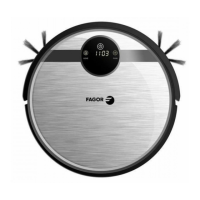
a. press “PLAN” on robot body to enter robot system setting, LED display will show current time
set .
b. the left two numb
er on LED panel will flash. Press “HOME” on robot to increase hour number
one by one till the number you want to set. When you keep press “HOME” on robot, the
number will continuous increase automatically till you release it.
c. press “ ” to confirm the hour number setting and enter into minute setting, right side two
number will flashing, press “HOME” to increase the number till you get the number want to
set. If you keep press “HOME” on robot, the number will continuous increase automatically
till you release it.
d. press “
” to save the setting, and press “PLAN” to quit the setting. (If you not press “ ” to
save the setting but press “PLAN” directly to quit the setting, it will quit without save the
setting).
B. Schedule Time Setting (make sure the robot in Standby or Power On status)
a. keep press “PLAN” over 5 second to enter robot schedule setting, the left two number on LED
display panel will flashing.
b. press “HOME” on robot to increase the number till you find the one you want to set.
c. press “
” to confirm the hour setting and enter minutes setting, right side two number will
flashing, press “HOME” to increase the number till you find the one want to set. Please note:
when you keep pressing “HOME”, the number will increase continues automatically till you
release it.
d. press “
” to save previous step setting, then press “PLAN” to quit schedule setting.
(If you not save the setting before you press “PLAN” to quit schedule setting, robot would not
save this data setting)
15


 To Next Page