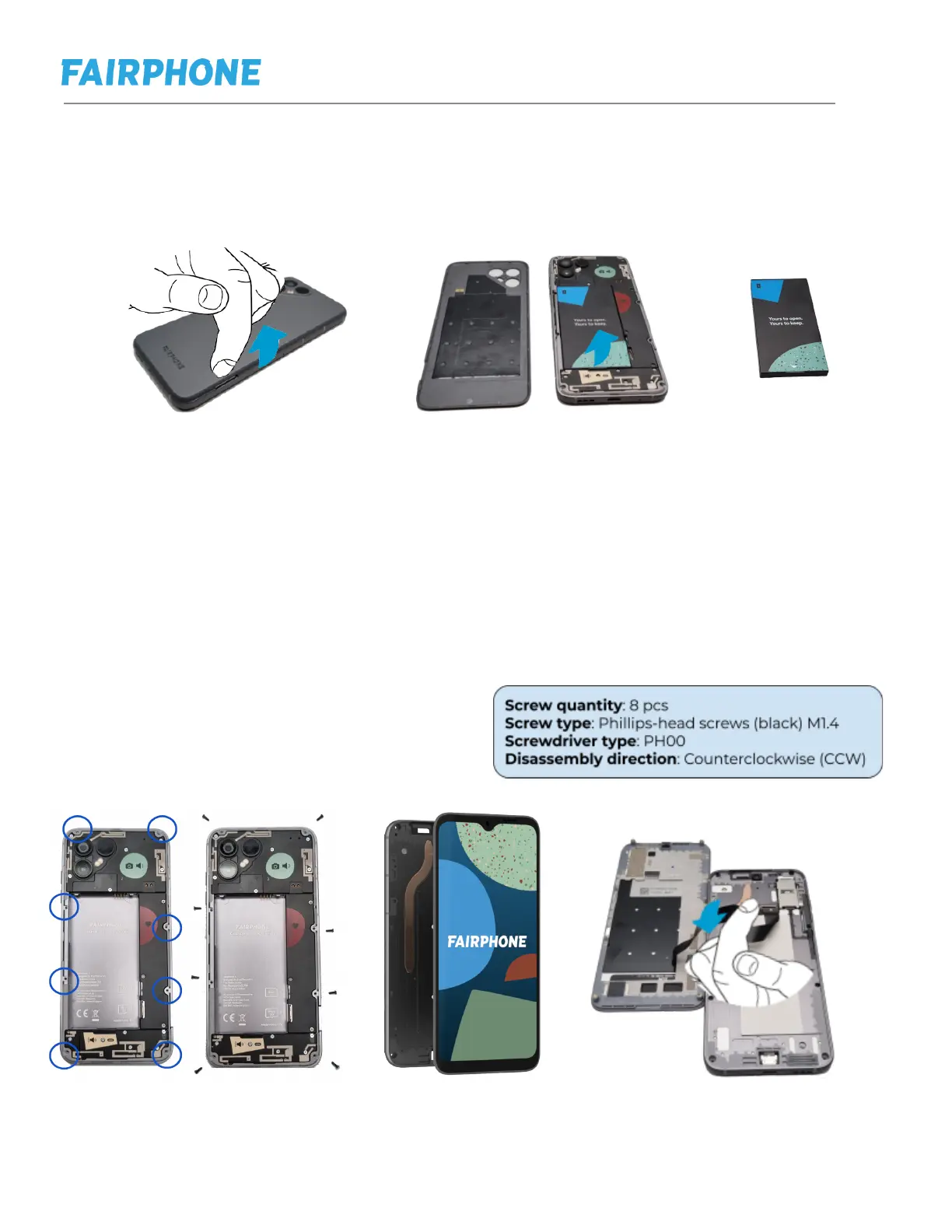
e. Replacing Back Cover (NFC Antenna) and Battery
Step 1: Lift up back cover and remove back cover. This part contains the NFC
antenna.
Step 2: Remove the battery lifting up from the tab at the bottom of the battery.
f. Replacing Display
Step 1: Follow previous steps to remove the back cover and the battery
Step 2: Remove the 8 Phillips Black screws indicated in the picture below.
Step 3: Lift the display and disconnect the cable behind.
Step 4: Connect the new display by first connecting the cable back. Simply push
the connector in until you hear a click.
Step 5: repeat actions in step 3, 2 and 1 in reverse order.


 To Next Page