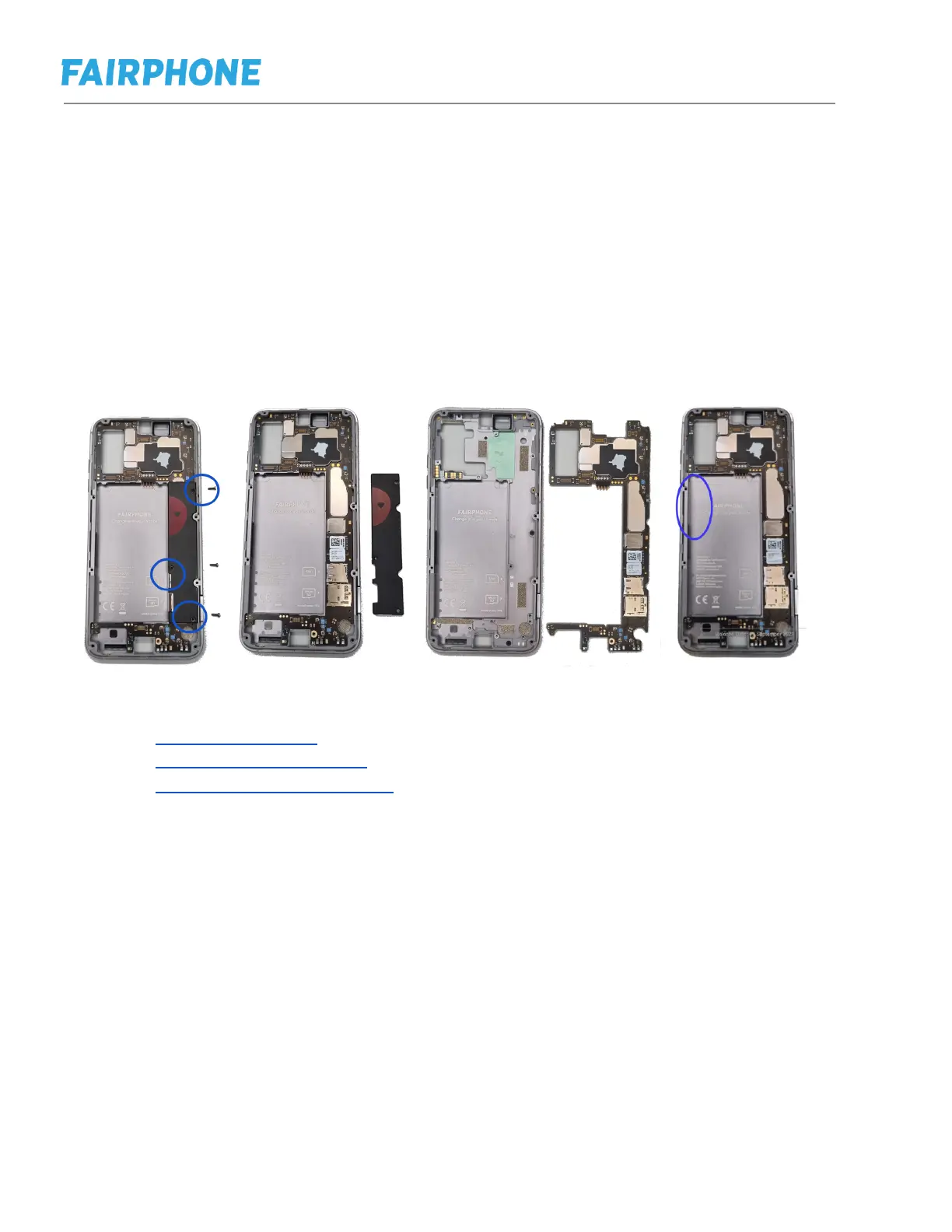
i. Replacing PCB and Mid-frame
j. Step 1: Follow the steps in e to remove back cover and battery.
k. Step 3: Follow the steps in f to remove display
l. Step 4: Follow steps in g to remove cameras and earpiece
m. Step 7: Follow steps in h to remove loudspeaker and USB-C port
n. Step 9: Remove PCBA Cover Torx Screws
o. Attention: The PCBA will include 2 copies of the IMEI sticker. Everytime there is
a PCBA or Mid Frame swap, please make sure the IMEI on the PCBA matches
the IMEI label on the mid frame.
p. Aditional resources
Fairphone Website (where you can find our spare parts)
Fairphone Support Page (where you can ask us questions)
Fairphone Youtube channel (with all video repair guides)



 To Next Page