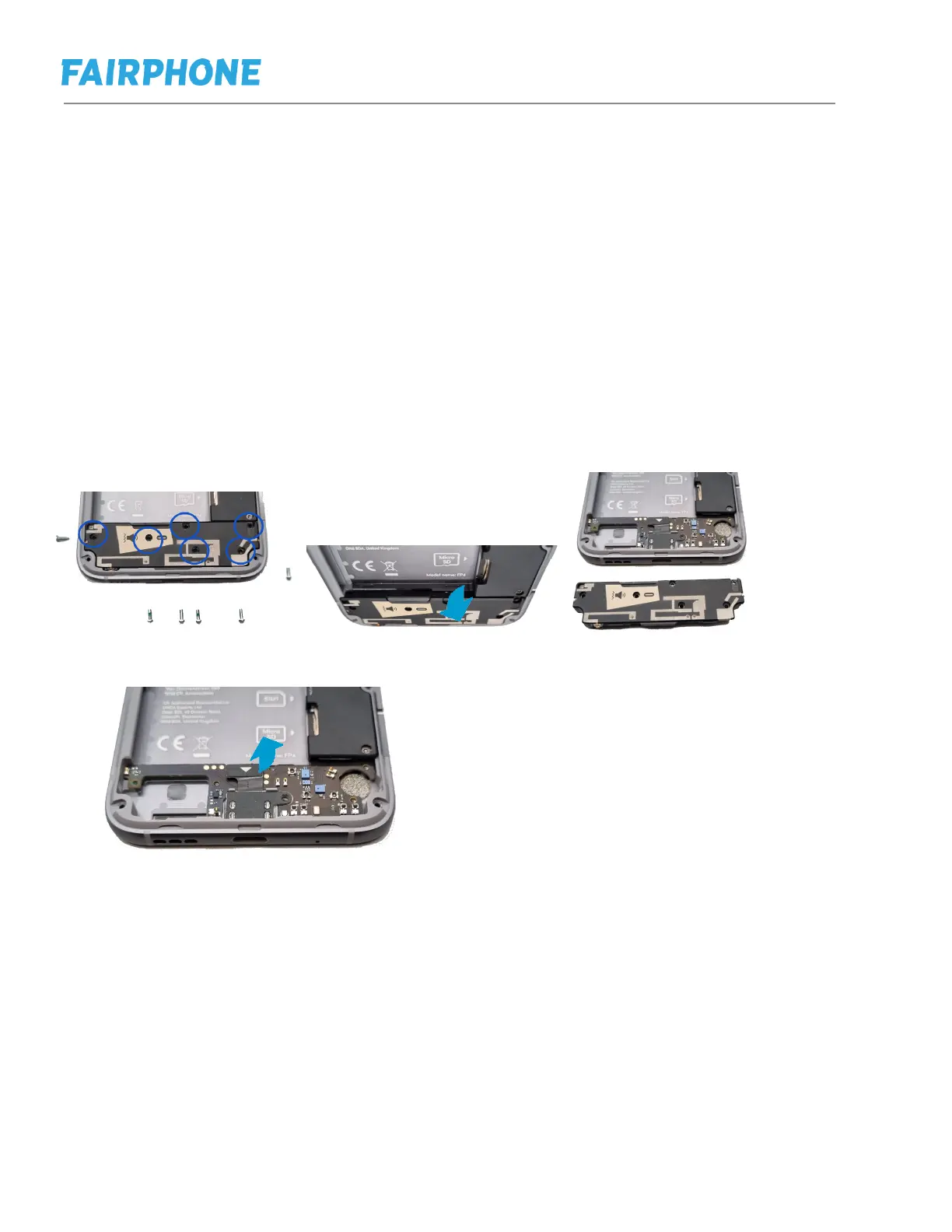
h. Replacing Loudspeaker, Vibration Motor or USB-C Port
Step 1: Follow the steps in e.
Step 2: Remove Loudspeaker 6 Phillips Screws (Silver)
Step 3: Lift up Loudspeaker lifting the central lip and remove it. This part also
contains the vibration mechanism.
Aditional step: if you are replacing the USB-C port, you can now access it. Please
mind that there is not screw holding the USB-C port at this point. You have
already removed it when removing the Loudspeaker Screws. Place the new
USB-C back in place and push the connector until to feel a click.
Step4: Put the new Louspeaker in place. Click it in and place back the 6 screws


 To Next Page