Operation
13
Press the UV key, if you want to sterilize the front
area. This function is particularly recommended for
eople suffering from allergies and for homes with
ets, as it sterilizes the floor against viruses and bacte-
ria.
6. Press the START/STOP button again to pause the
cleaning process.
7. If you do not want a programmed weekly clean, turn
off the appliance after cleaning. To do so, set the op-
erating switch (20) to the OFF position or press the
ON/OFF button
on the remote control.
8. Unplug the charging station from the mains.
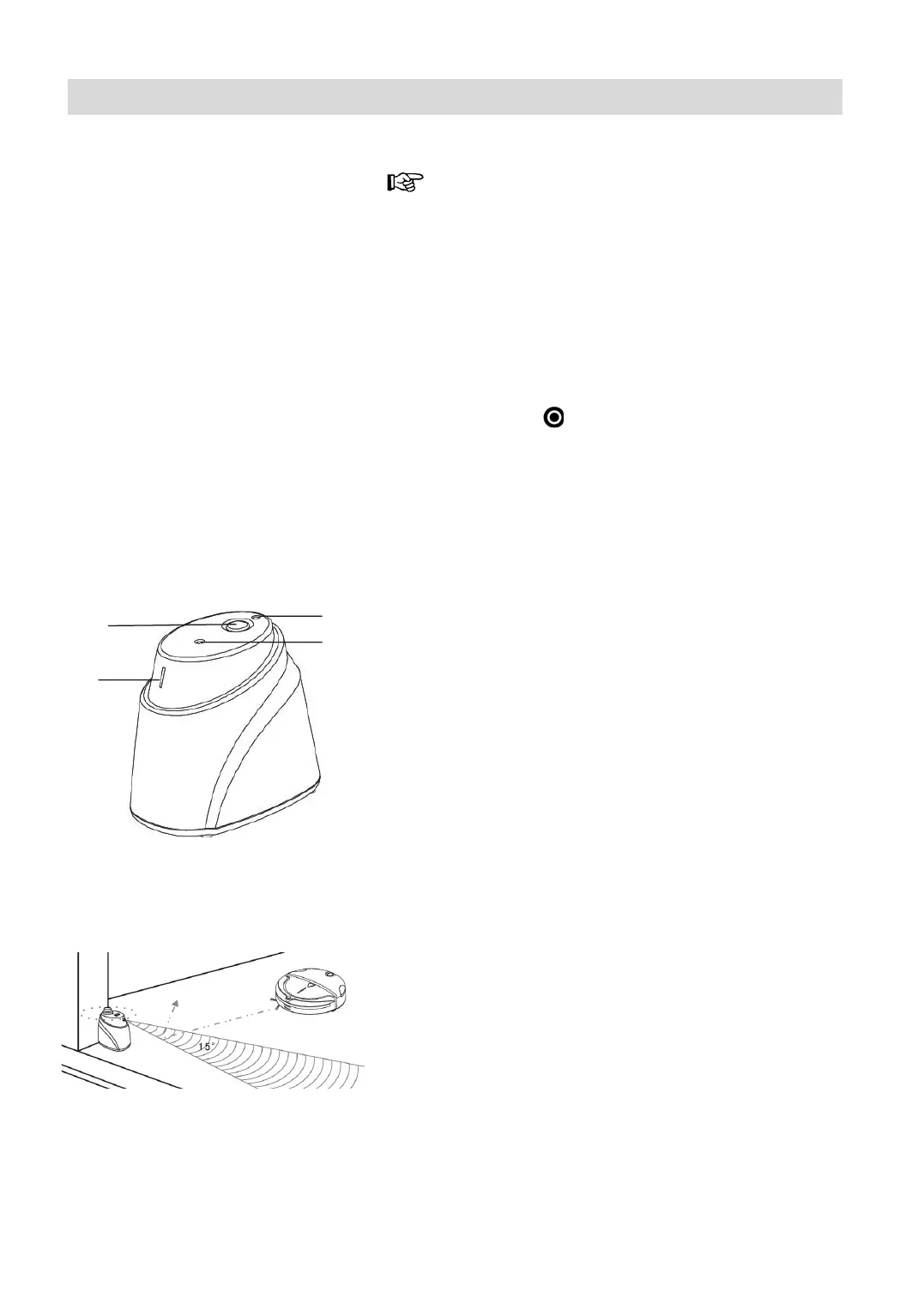
Virtual Barrier
Fig. 8
Fig. 9
Controls (Fig. 8)
1 Infrared receiver 2 ON/OFF-Switch
3 Coding key 4 Power indicator light
Coding the virtual barrier with the robot (only
if replace or added parts, or malfunction occur).
1. Power off the robot, turn on the switch 2 of virtual
barrier.
2. Press “CODE” key 3, no loose (The code key is
positioned in the hole. Need to use the auxiliary
tool.
3. Power on the robot
4. Loose the “CODE” key on the virtual barrier when
the robot sounds “beep” for 3 times, finish the pro-
gress.
If you fail to hear of “beeps” for 3 times, repeat the
steps.
Operation
Use the virtual barrier to define the desired cleaning
area, preventing the robot from entering unnecessary
or unwanted areas. Use this to prevent the robot en-
tering areas with cables or a particular room. (Fig. 9)
1
2
3
4








 To Next Page