20
EN
4. Clean and dry
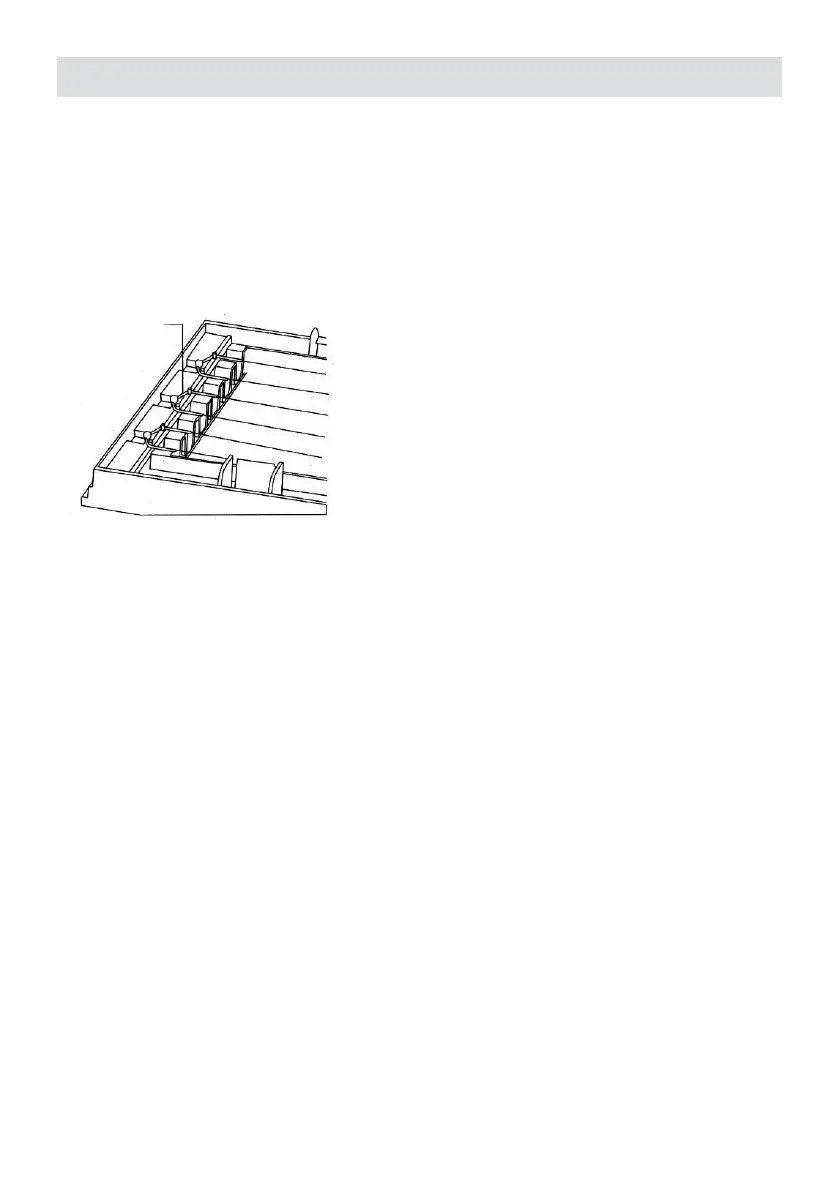
• After cleaning, please completely dry the unit before use. Otherwise, it could cause electrical
shock or malfunction.
• If the front cover of the plasma dust collector is not properly installed, no electricity will be
connected.
• Please make sure the plastic wrap fort he electrical discharge wire is located at its proper
position.
Replacing lters
• Please change lter when the FILTER REPLACE indicator is glowing.
• Please refer to page 7 on how to replace lters.
Replacing UV Lamp
• The life span of UV lamp is about 5.000 hours. Replace UV lamp when it is damaged or
when no blue light is observed.
• Take down the front cover, plasma dust collector and lters befoe replacing the UV lamp.
(refer to page 7 on how to disasemble)
• Softly twist the UV lamp, remove the lamp tube from its position, and insert a lamp tube of
the same model.
Reinstalling
• After cleaning and replacing lters, reinstate the PIN CLEAN and FILTER REPLACE
indicators. Otherwise the two indicators would remaining glowing after turning on the unit.
• While reinstalling, the unit should remain plugged in with the socket but being turned off.
• The FILTER READY button is inside the unit (cannot be reached with nger). Please use a
toothpick or other sharp object to push the FILTER READY button.
How to reinstate
1. PIN CLEAN Indicator
• When the unit is turned off, the reinstating process for PIN CLEAN indicator is done by
pushing both the FILTER READY and the TIME buttons at the same time.
2. FILTER REPLACE Indicator
• When the unit is turned off, the reinstating process for FILTER REPLACE indicator is done
by pushing both the FILTER READY and the FLOW buttons at the same time.


 To Next Page