EasyManua.ls Logo

fakro AMZ - User Manual

fakro AMZ
16 pages
Print Icon
To Next Page IconTo Next Page
Loading...
1/
User manual
AMZ Z-Wave Solar Awning Blind
Read the instruction below carefully before proceeding to device usage
www.FAKRO.com
GB

Other manuals for fakro AMZ

Question and Answer IconNeed help?

Do you have a question about the fakro AMZ and is the answer not in the manual?

Summary

Important information

Device programming

Adding the device to the network (remote) - INCLUDE function

Procedure for adding the device to the Z-Wave network using the INCLUDE function.

Assigning the device to the operating buttons of the controller - ASSOCIATE function

Procedure for linking the device to specific buttons on the controller.

Removing the device from the operating buttons - DELETE function

Procedure to remove device assignment from controller buttons.

Removing the device from the network (controller) - EXCLUDE function

Procedure to remove the device from the Z-Wave network.

Additional information

Remote control

Operation mode and automatic control

Summary

Important information

Device programming

Adding the device to the network (remote) - INCLUDE function

Procedure for adding the device to the Z-Wave network using the INCLUDE function.

Assigning the device to the operating buttons of the controller - ASSOCIATE function

Procedure for linking the device to specific buttons on the controller.

Removing the device from the operating buttons - DELETE function

Procedure to remove device assignment from controller buttons.

Removing the device from the network (controller) - EXCLUDE function

Procedure to remove the device from the Z-Wave network.

Additional information

Remote control

Operation mode and automatic control

Overview

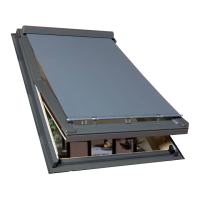
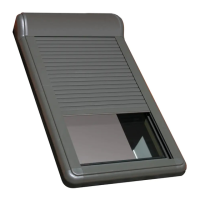
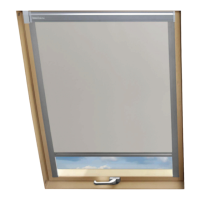
The FAKRO AMZ Z-Wave Solar Awning Blind is designed for installation in FAKRO roof windows and integrates with wireless remote control systems from FAKRO and other Z-Wave compatible manufacturers. It features a two-way radio communication module operating at 868.42 MHz.

Function Description:

The awning blind's controller incorporates solar radiation and temperature sensors, enabling operation in three modes: automatic, semi-automatic, and manual.

  • Automatic Mode: The blind is controlled by an actuator based on a predetermined algorithm, utilizing solar radiation and temperature sensors. The solar radiation sensor, which measures voltage from the photovoltaic panel, directly influences the unrolling and rolling up of the awning blind. The temperature sensor dictates operation in "summer" or "winter" mode. In summer mode (above 0 °C), the blind automatically unrolls when insolation exceeds a set value (default 60%) and rolls up below this value (e.g., during permanent cloudiness). It also unrolls if insolation falls below a minimum level (during the night). Manual operation is possible in this mode, but the actuator regains control after a set time (default 3 minutes).
  • Semi-Automatic Mode: The awning blind unrolls when the insolation level exceeds a set value. Rolling up is only possible via remote control. After manual rolling up, if the insolation value is still exceeded and the set time has passed, the actuator will unroll the awning blind again. In winter mode, the blind opens during the day and closes at night to contribute to solar energy gains.
  • Manual Mode: The awning blind is controlled exclusively via the remote control, with automatic functions turned off.

The AMZ Z-Wave Solar Awning Blind includes three protections:

  1. Maximum unrolling of the awning blind (outskirt).
  2. Maximum rolling up of the awning blind (outskirt).
  3. Current limiting to protect the awning blind from damage and the user from accidental injury due to contact with movable elements.

Important Technical Specifications:

  • Power Voltage: 12V DC
  • Rated Current: 1.4 A
  • Speed: 23 r.p.m
  • Power Cable: 2 x 0.75 mm²
  • Weight: 0.850 kg
  • Radio Frequency: 868.42 MHz (Z-Wave)

Usage Features:

  • Device Programming (Z-Wave Network):
    • INCLUDE Function (Adding to Network): To add the device to a Z-Wave network, press the In/Ex button on the remote once, then within 10 seconds, press the programming button on the blind for longer than 1 second. The controller signals successful addition with two LEDs lighting up for 2 seconds.
    • ASSOCIATE Function (Assigning to Remote Buttons): Select a channel on the remote, then within 1 second, press In/Ex momentarily, followed by one of the operating buttons (up, stop, or down). Within 10 seconds, press the programming button on the blind for longer than 1 second.
    • DELETE Function (Removing from Remote Buttons): Select a channel, then within 1 second, press In/Ex twice, followed by one of the operating buttons. Within 10 seconds, press the programming button on the blind for 1 second.
    • EXCLUDE Function (Removing from Network): Press In/Ex button on the controller twice momentarily. Within 10 seconds, press the programming button on the awning blind for longer than 1 second.
  • Remote Control (ZWP SA4):
    • The ZWP SA4 remote has buttons for channel selection (1-4), mode selection (Manual, Semi-Automatic, Automatic), and operating buttons (roll up, stop, roll down).
    • The remote's IN/EX programming button and 3VDC button cell battery are located under the back cover.
    • Note: Older Z-Wave controllers may not support the awakening function of energy-efficient devices like the AMZ Z-Wave Solar awning blind, potentially leading to faster battery drain.
  • Manual Operating Button (on the blind): Allows direct control of the awning blind immediately after installation. The button operates in a sequential cycle: unroll, stop, roll up.
  • Changing Parameters:
    • Opening/Closing Time (A and S mode): Hold the M button, then press an UP/DOWN button to select 3, 4, 5, or 6 minutes (corresponding to 1, 2, 3, or 4 LEDs). Release M.
    • Insolation Level: Hold the S button, then press an UP/DOWN button to set 50%, 60%, 70%, or 80% insolation level. Release S.
    • Work Modes (SUMMER/WINTER or SUMMER): Hold the A button, then press an UP/DOWN button to select mode 1 (SUMMER/WINTER) or mode 2 (SUMMER). Release A.
    • Night Mode Sensitivity: Hold the SELECT button, then press an UP/DOWN button to choose one of four sensitivity levels. Release SELECT.
  • Battery Charge Level Check: Select the appropriate channel on the remote, hold the square button for 3 seconds, then press the UP arrow button. The controller's LEDs will indicate the charge level (25%, 50%, 75%, 100%).
  • Opening/Closing Status Check: Select the appropriate channel on the remote, hold the square button for 3 seconds, then press the DOWN arrow button. The controller's LEDs will indicate the status (0% closed, 100% open).
  • Restoring Default Parameters: Hold the programming button P on the awning blind for 5 seconds until the motor status LED blinks once. While still holding P, press the manual operating button for longer than 1 second. The motor status LED will blink 5 times to confirm.

Maintenance Features:

  • Installation: Should be performed by a qualified person according to manufacturer's instructions.
  • Cleaning: Any cleaning, adjustment, or dismantling must be preceded by disconnecting the power supply. The awning blind cannot be washed with solvent-based substances or open streams of water (do not immerse).
  • Repairs: All repairs must be carried out by service authorized by the manufacturer.
  • Spare Parts: Available from FAKRO Company service. When ordering, provide information from the data plate.
  • Warranty: 24 months from the purchase date, provided installation was by an authorized person, seals are intact, no unauthorized structural changes, and the device was used according to the manual. Damage from improper electrical systems or atmospheric phenomena is not covered. The manufacturer is not liable for damage from improper use or mechanical damage.

fakro AMZ Specifications

General IconGeneral
Brandfakro
ModelAMZ
CategoryAccessories
LanguageEnglish

Related product manuals