10/1 6
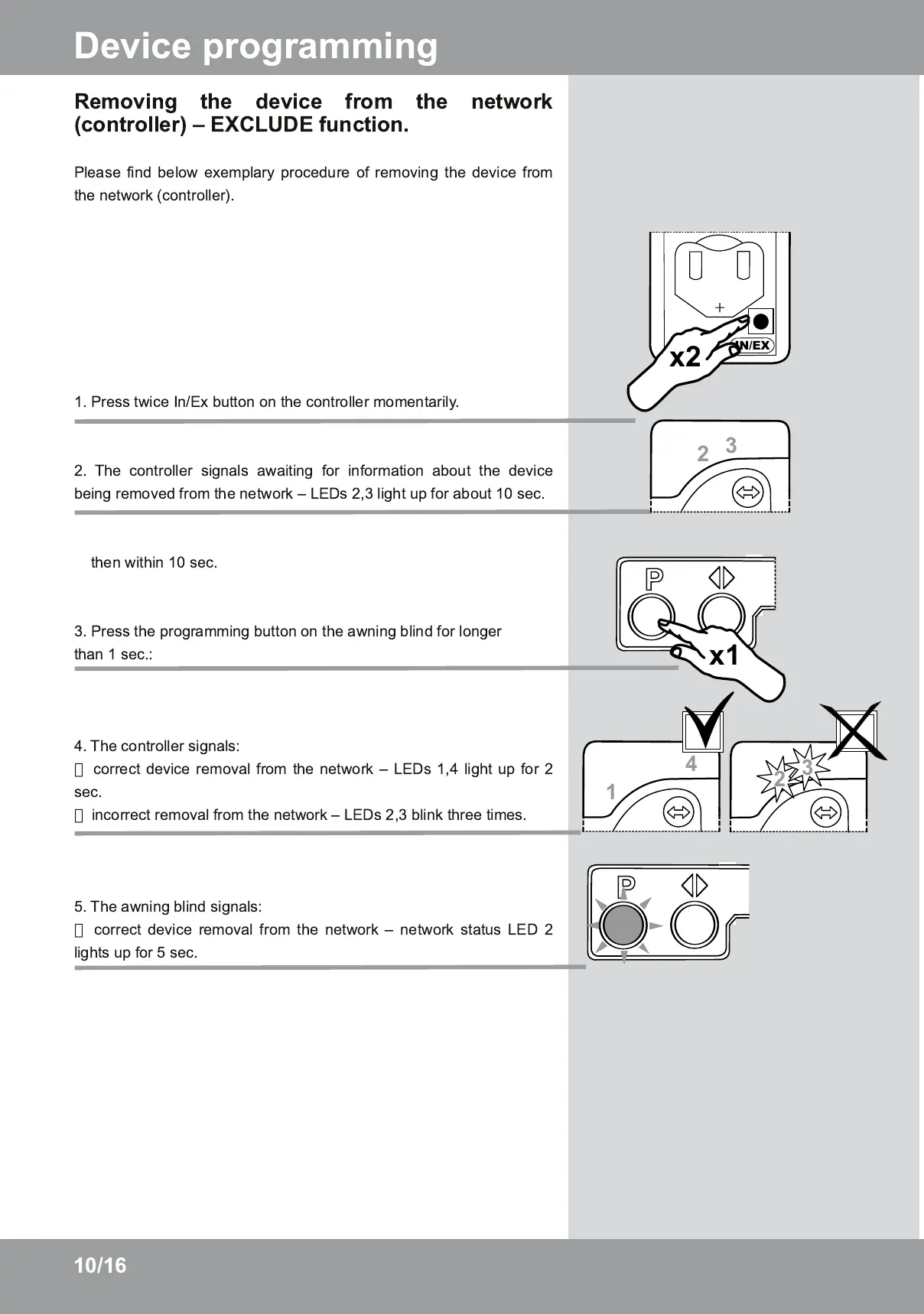
Removing the device from the network
(controller) – EXCLUDE function.
Please find below exemplary procedure of removing the device from
the network (controller).
1 . Press twice In/Ex button on the controller momentarily.
2. The controller signals awaiting for information about the device
being removed from the network – LEDs 2,3 light up for about 1 0 sec.
then within 1 0 sec.
3. Press the programming button on the awning blind for longer
than 1 sec.:
4. The controller signals:
correct device removal from the network – LEDs 1 ,4 light up for 2
sec.
incorrect removal from the network – LEDs 2,3 blink three times.
5. The awning blind signals:
correct device removal from the network – network status LED 2
lights up for 5 sec.
Device programming


 To Next Page