4.3 Device deleting from ZWMP weather module (DELETE function)
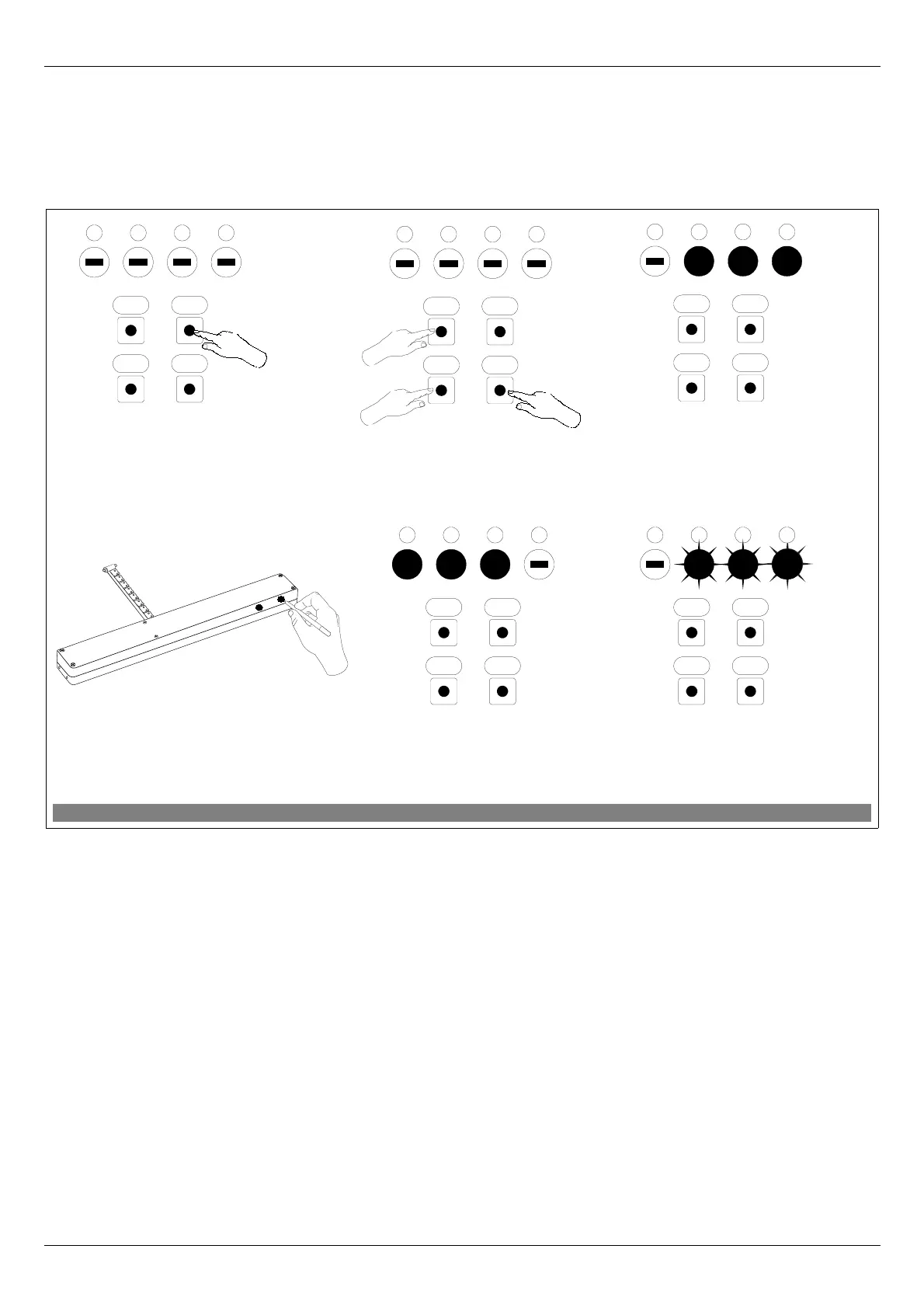
This function removes from the module's memory the device which has been associated with a
selected channel. It does not remove the device from the “Z-Wave” network. The procedure of deleting the
device from a given channel is presented in Figure 5.
*) Programming error results from failure to receive any reply from the device and may be caused by:
• failure to press the programming button within 10 seconds from the module signalling its readiness to
delete the device;
• long distance between the module and device being deleted;
• the device belonging to network other than module.
11.09.21 NC815 8/16 ©2011, FAKRO
Figure 5: Device deleting from ZWMP module channel
4. Press “P” button on the device and hold
it for 0.5 sec. (see Device Programming
Manual)
2. Within 1.5 sec., press:
- “In/Ex” button twice and
- “C” or “O” button, depending on
how the device has been associated.
6*. Programming error –
LEDs flashing for app. 2-3
sec.).
1. Using SEL button choose a
channel in the ZWMP module,
through which the device to be
deleted is operated.
5. The module is signaling that the
device has been deleted
successfully (three LEDs on for
app. 2-3 sec.).
3. The module is signalling
readiness for device deleting
(three LEDs on for 10 sec.).
OC
SelIn/Ex
4321
OC
SelIn/Ex
4321
1
x2
2
x1
2
x1
lub
OC
SelIn/Ex
4321
OC
SelIn/Ex
4321
OC
SelIn/Ex
4321
x1


 To Next Page