4.4 Return to default settings of the ZWMP weather module (DEFAULT function)
Restoring default settings of the controller leads to the following information being deleted from its
memory:
• network, to which the module has been added;
• devices associated with the ZWMP module.
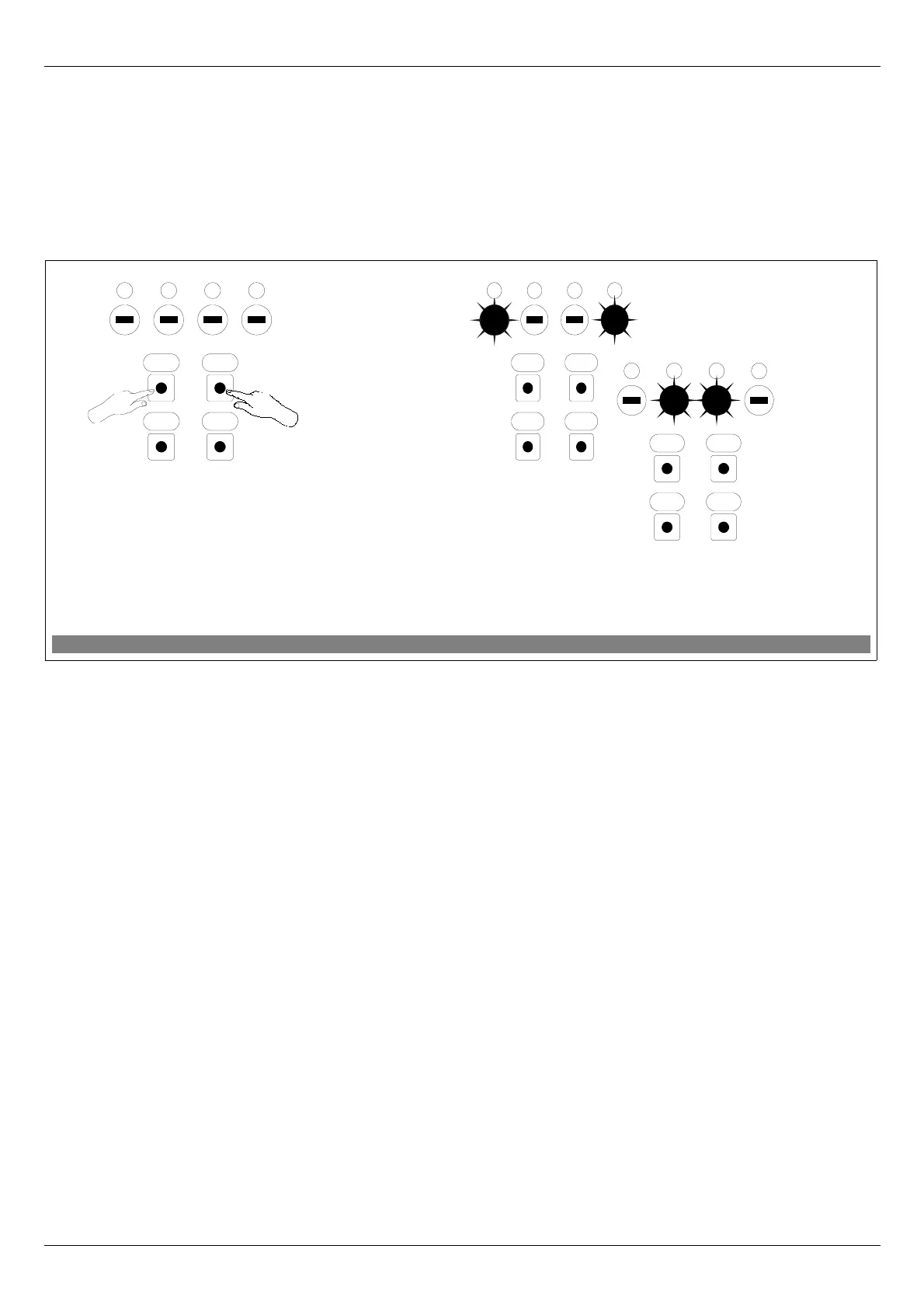
The procedure of restoring default settings is described in Figure 6.
4.5 Removing the ZWMP weather module from the network
Removing the ZWMP module from the network consists in restoring default settings in this module.
11.09.21 NC815 9/16 ©2011, FAKRO
Figure 6: Restoring default settings in ZWMP controller
1. Within 1.5 sec., press:
- “In/Ex” button twice and then
- SEL button once.
2. The controller is signallling that default settings
have been restored – alternate flashing of internal
and external LEDs for app. 2-3 sec.
OC
SelIn/Ex
4321
1
x2
2
x1
OC
SelIn/Ex
4321
OC
SelIn/Ex
4321


 To Next Page