4
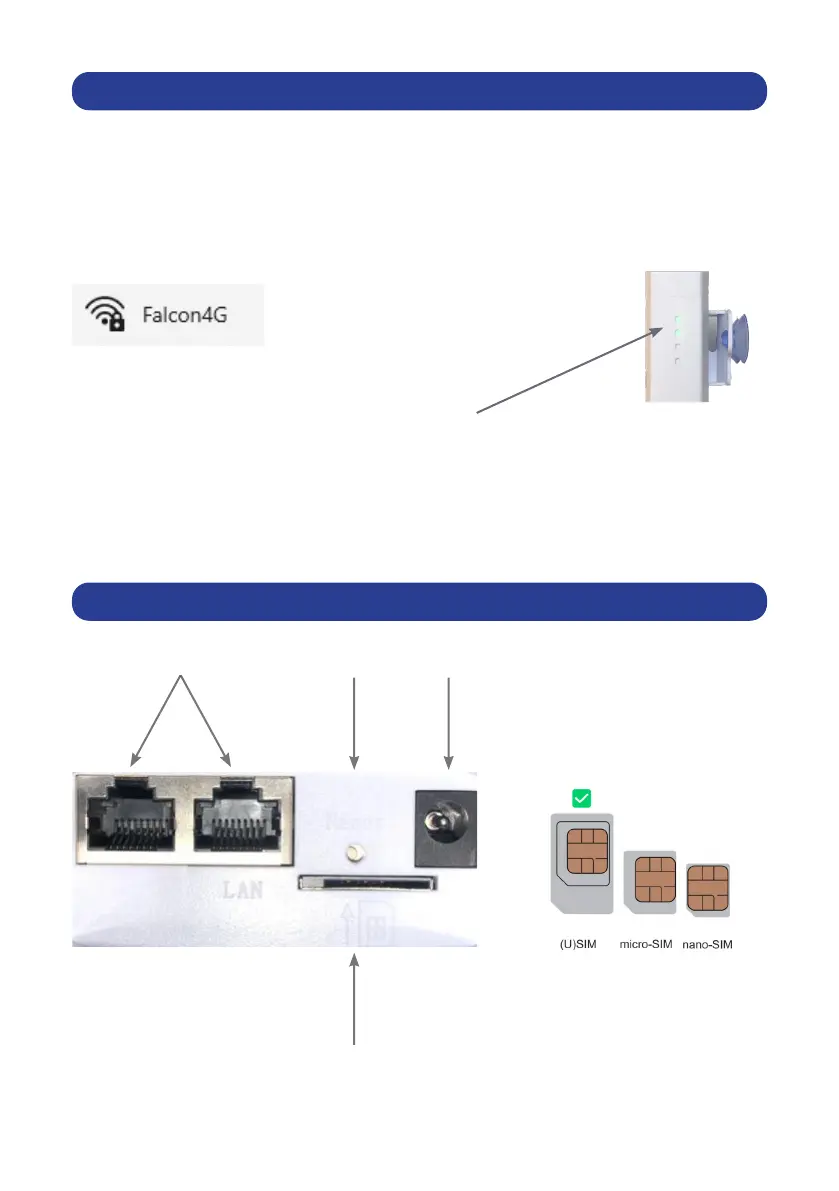
ROUTER INPUTS
LAN Reset Power
SIM
QUICK SETUP GUIDE
Step 1: Insert your sim card (Requires preloaded data from your provider).
Step 2: Plug in the router to a power supply.
Step 3: Use your mobile phone, tablet, or computer to search and connect to the
network “Falcon4G”:
Step 4: Enter Password: F@1con_99
Step 5: Conrm signal by checking the 2 green bars on the side of the router:
Step 6: If you are connected without internet turn to
page 10 & page 11 on how to manually set up your Access Point Network (APN).
Step 7: Enjoy your internet experience.
*SIM slot requires a standard sim card or adaptor for micro or nano sim.


 To Next Page