6
ROUTER CUSTOM CONFIGURATION
Connecting to the Router:
Router default IP is 192.168.1.254 (we suggest you insert the SIM card before using
the power supply).
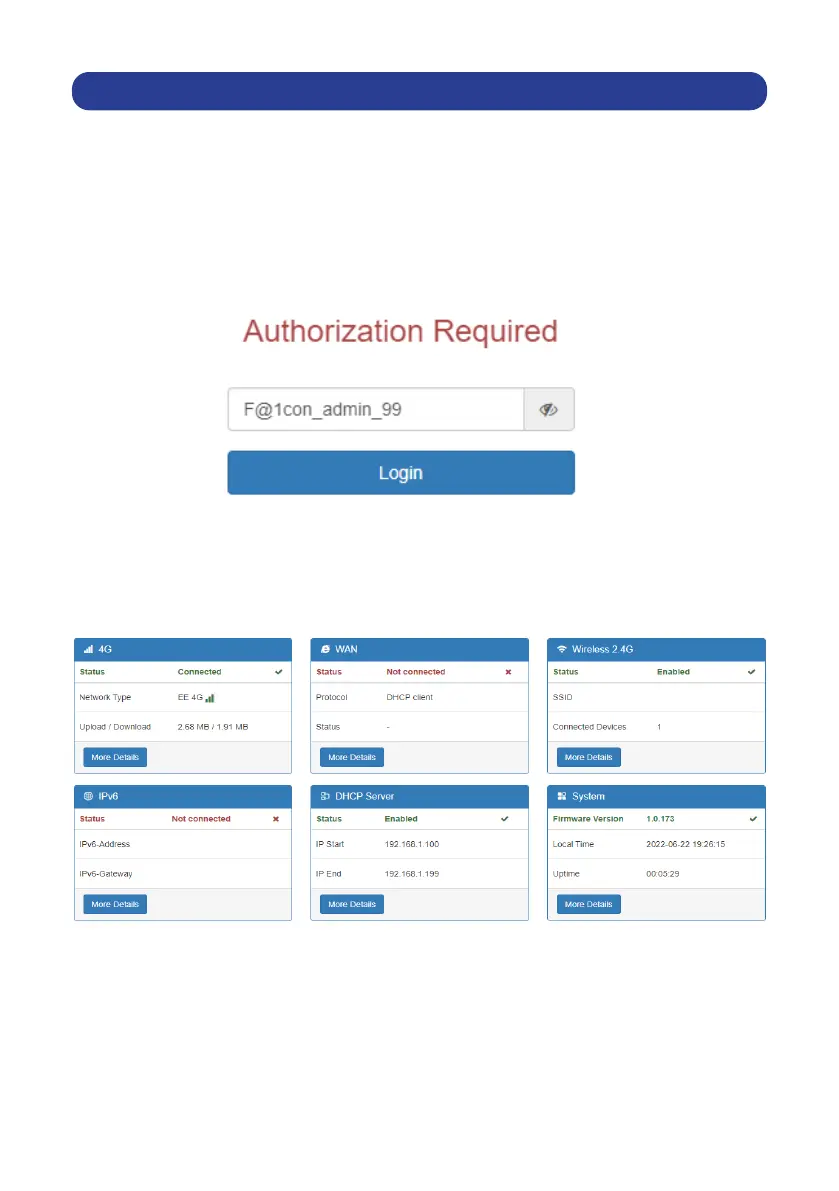
Open the browser and type “192.168.1.254” (note this can also be done by
connecting the ethernet cable).
Enter password as displayed below:
Basic Setting
1. System status
Display 4G, WAN, wireless 2.4G, DHCP server and system’s information
Falcon4G


 To Next Page