Page 14
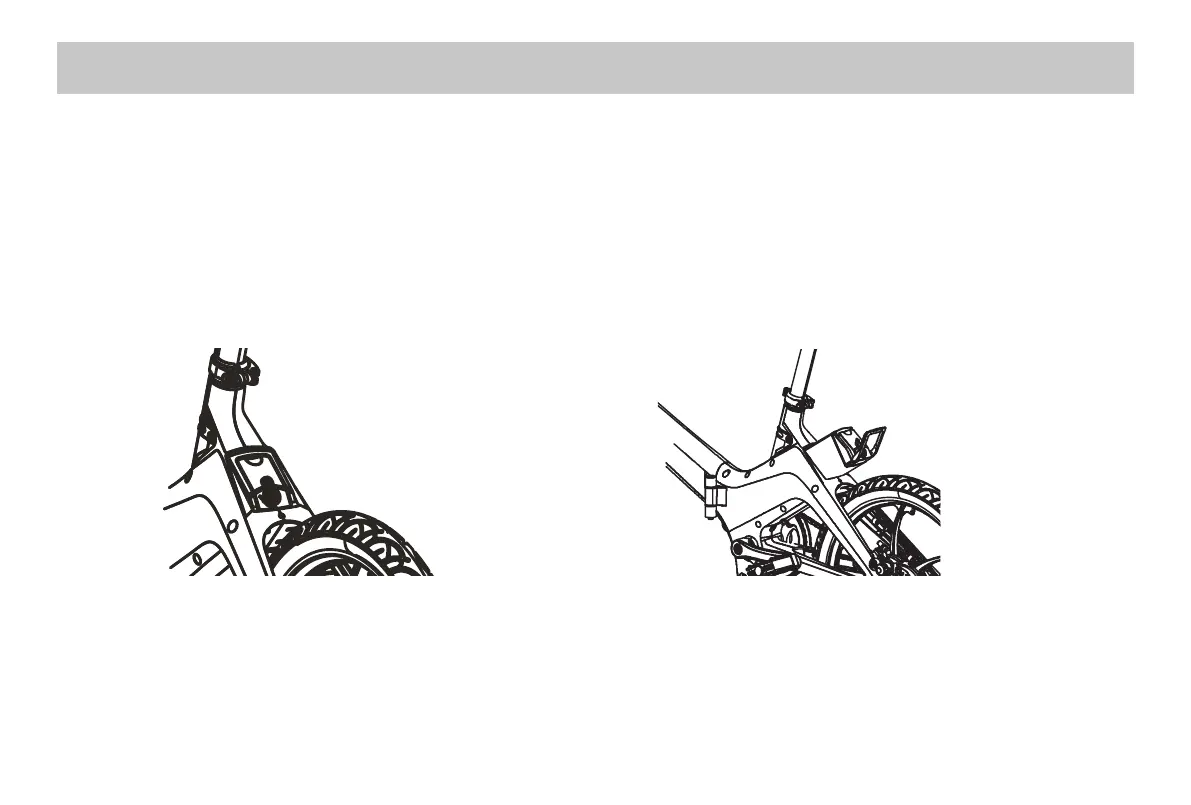
Inserting, unlocking and removing the battery:
•Totthebatterysimplypressintoplaceuntilyouhearaclick.Removethekeyfromthekeyholeforsafekeeping(Fig.1)
• To remove the battery, insert key into keyhole and turn anti-clockwise into unlock position, the battery can now be
removed (Fig.2)
Please note: your keys are simply to lock your battery into place for security. They do not switch the power on and o.
Fig.1
1.Powerothevehicle,unlockthebattery,thenpull
out the battery box by lifting handle as picture shows.
When installing battery, lock the battery with key and
takethekeyaway,pressbatteryhandletobeat,and
unfold the bike frame.
Fig.2
BATTERY CHARGING


 To Next Page