27
DEUTSCH ENGLISH
Pedal Adjust:
Other Button Pattern Functions:
In uenced by humidity and temperature, the sensitivity of the pedals might differ. If this
happenes, adjust the sensitivity by following steps.
When power OFF, press and hold [POWER] and [METRONOME] buttons to enter the pedal adjust
mode. When the Display shows „bdF“, stamp down the bass drum pedal and hold.
The [metronome] button lights up green and orange until the bass drum pedal setup is nshed.
Then release the bass drum pedal.
When the Display shows „HHF“, stamp down the Hi-Hat Pedal and hold. The [metronome] button
lights up green and orange. If it lights up red, the system setup is nished.
1. When the power is Off, press and hold the [POWER] and [] button to enter the USB Soft-
ware update function. When the Display shows „UPG“, use a USB cable connecting to your
computer to update the host machine system.
2. When the power is Off, press and hold [POWER] and [] to enter Factory Reset.
The Display shows „CLr“
3. When the power is ON, press and hold the [METRONOME] button for 3 seconds to refer to
the system version information.
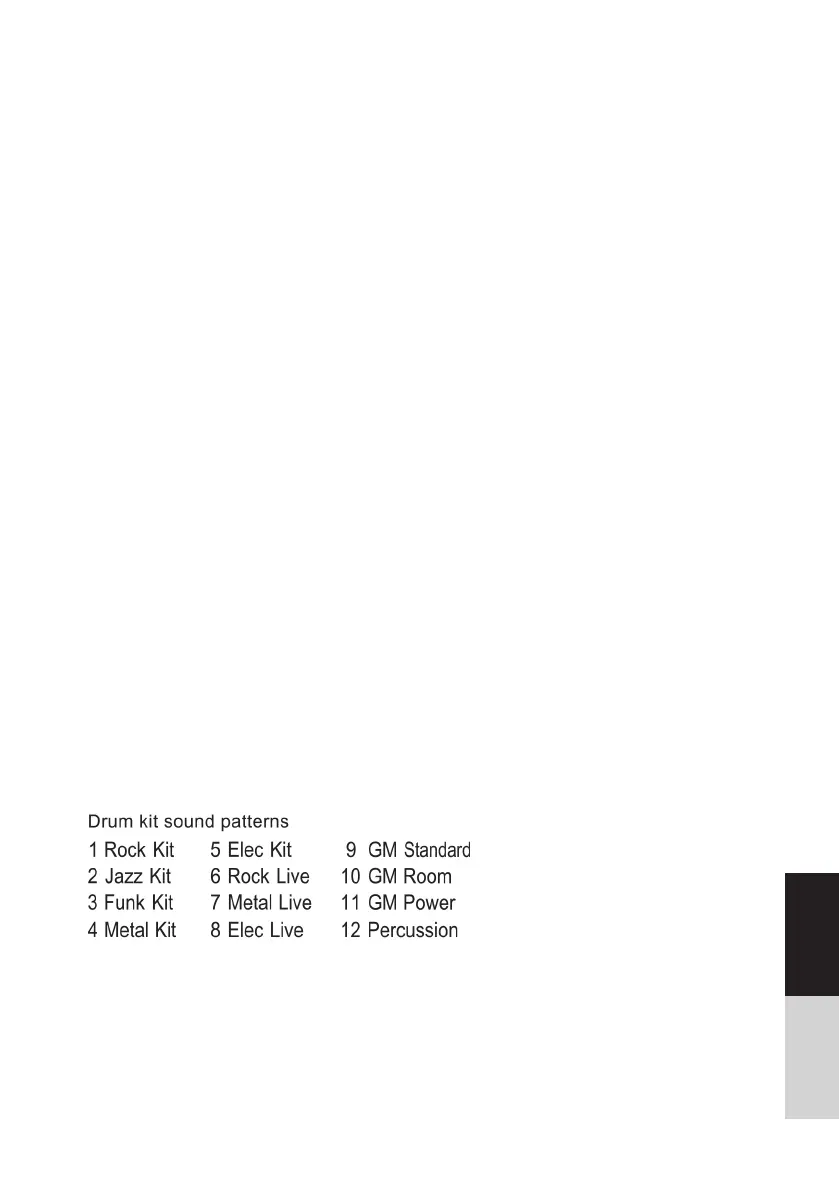
Drum Kit:
The preset drum sound kit is the Rock Kit. Press the [] and [] buttons to choose different
sound kits.



 To Next Page