DVB-T2 TV Operation
1. TV Start-UP
Inser the DVB-T2 TV antenna to the DVB-T2 TV signal input jack .
Press “SOURCE” button to switch to the TV mode.
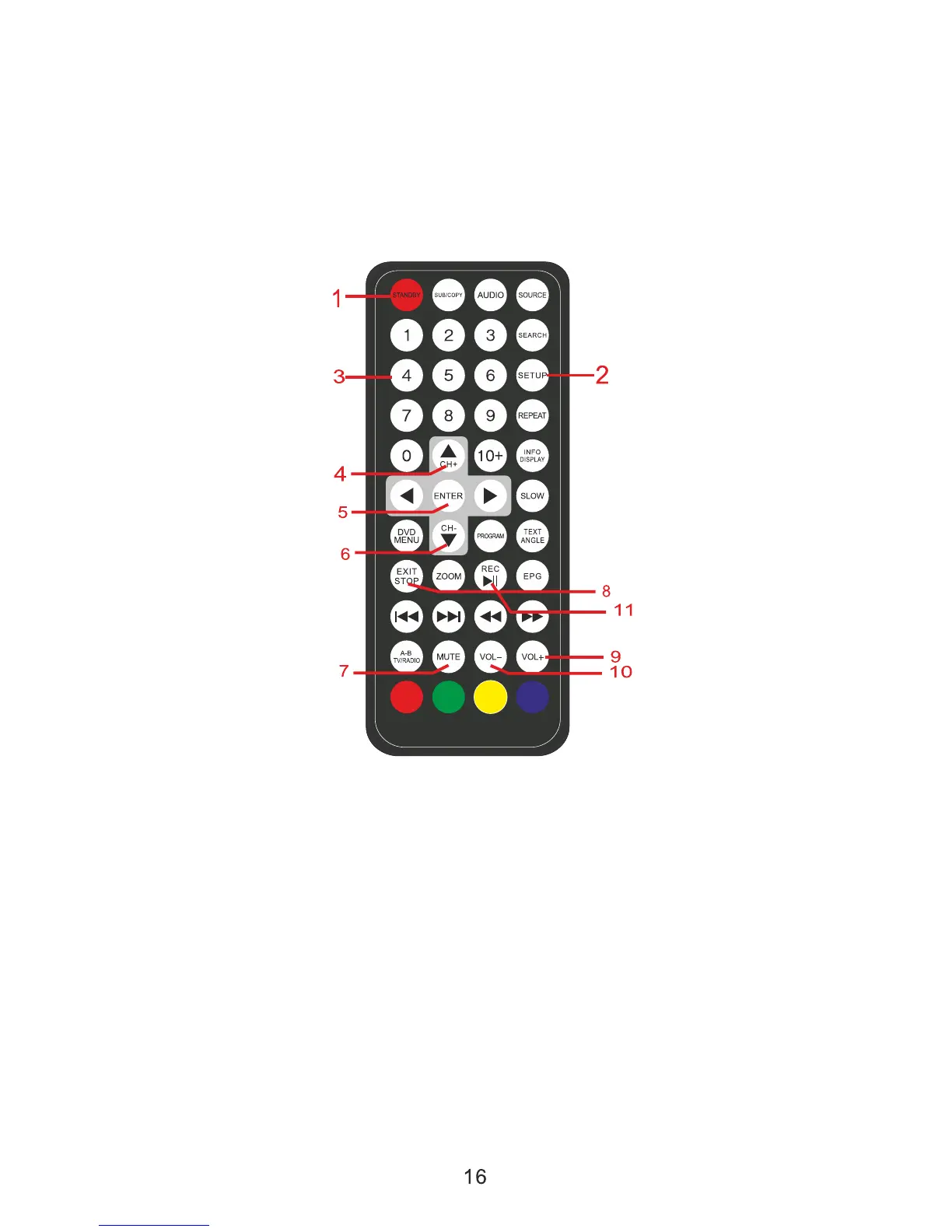
2.Remote Control for DVB-T2
1.Power On/Off
2.Setup Button:Enter/Exit the menu operation of DVB-T2.
3.Number Button
4.Up Button: Add channels,move the cursor up in the menu opertion.
5. OK Button
6. Down Button: Reduce channels, move the cursor down in the menu operation.
7. Mute Button
8. Stop/Exit Button: Exit the current operation.
9. Volume+Button
10. Volume-Button
11. REC/Play/Pause button
Note:This DVB-T2 Function is not designed for Vehicle moving use.


 To Next Page