DVB-T2 TV Operation
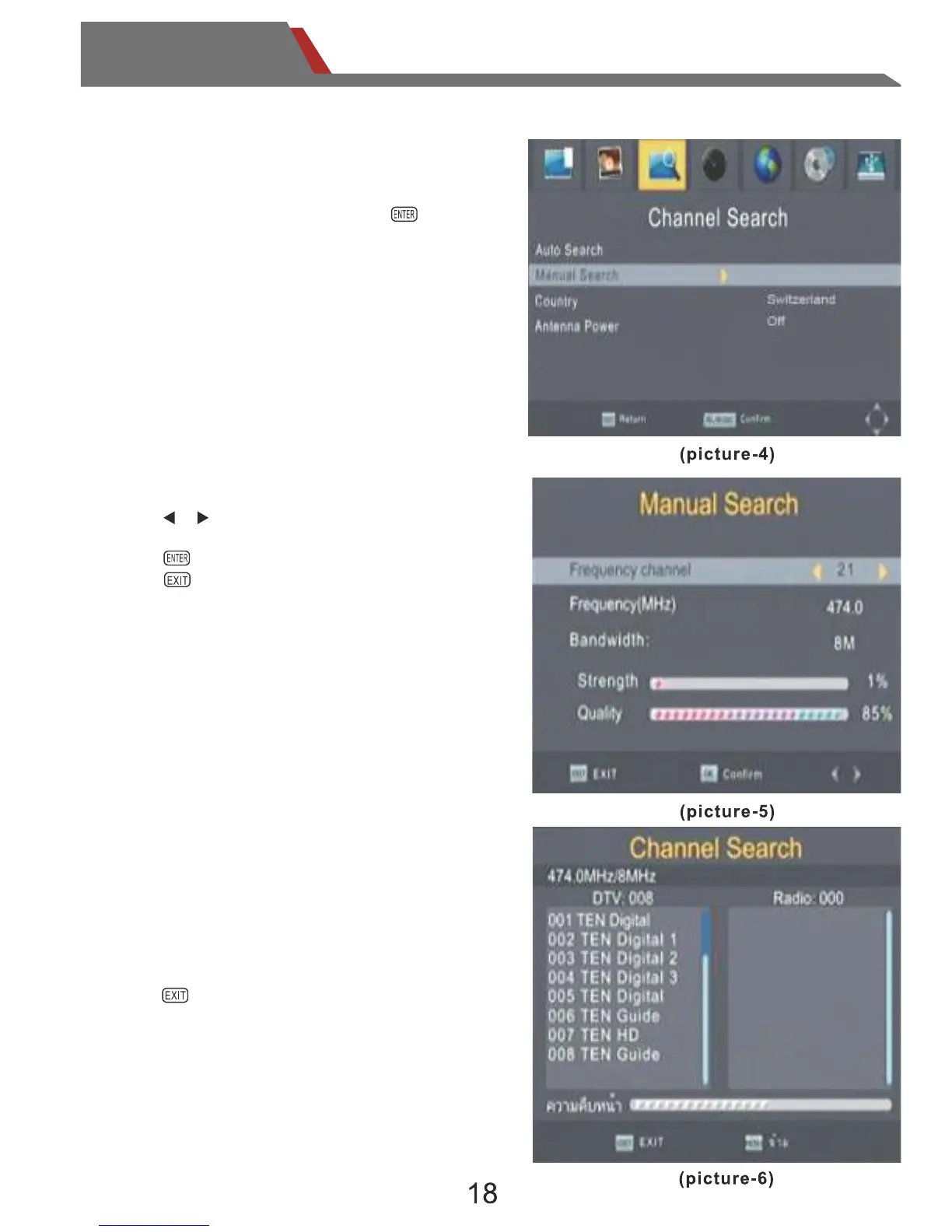
3.4 Manual Search
Channel Search
During the search, if the program is
received, it will be displayed in the display
field.
Press to break the search if you don’t
want it to continue.
Press or , choose the frequency that
you want to search.
Press ,confirm and begin to search.
Press ,return to the previous menu.
or touch the screen icon.
When you change the frequency,the
"Sterngth"bar will display the signal level.
Select "Manual Search",Press on
the remote control or touch it on the screen
to enter the manual search menu.


 To Next Page