DVB-T2 TV Operation
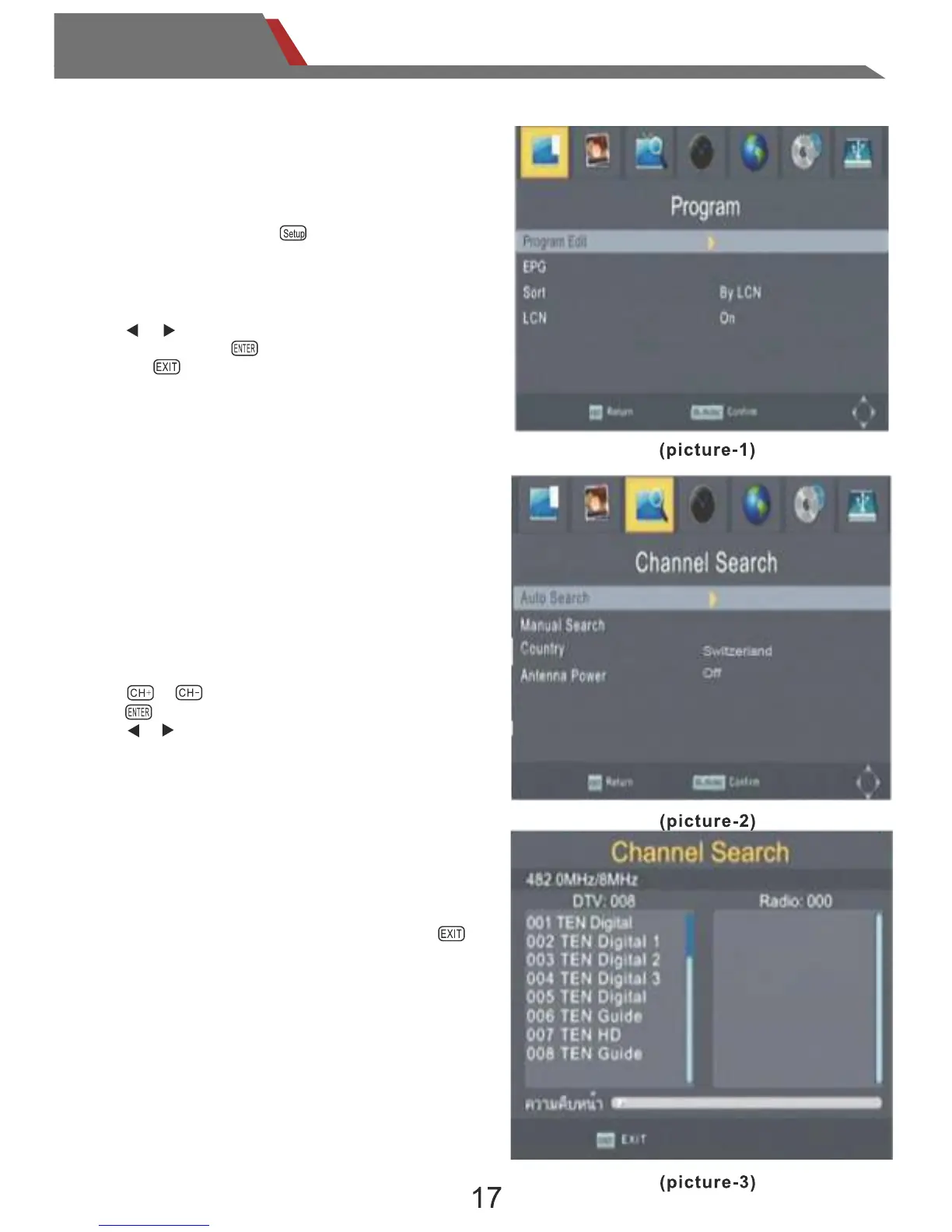
Select “Auto Search”, it will begin search all
of the frequences.
When searching,please wait for finish.
If you want to interrupt the search,press the
button.
When it is searching, it will display the current
frequency and the progress of the search.
During the search, if the program is received, it
will be displayed in the display field.
Select “Search Menu”, enter the search menu.
.Country : select country where the device is used.
.Auto Search:begin full-band search;
.Manual Search:enter the manual search menu
.Antenna Power: turn ON/OFF antenna power
Touch it on the Remote control:
Press or ,choose the option that you want.
Press to confirm .
Press or to select or change.
Under the TV mode Press on the remote control,
or touch it on the screen. enter the main menu.
.Search Menu:enter search menu;
.Picture Menu:enter picture menu;
.System Menu:enter system menu.
.Press or to choose the option
that you want,press to confirm ,
and press to get out of current option.
3.Function Operation
3.1 Main Menu
3.2 Search Menu
3.3 Auto Search


 To Next Page