DVB-T2 TV Operation
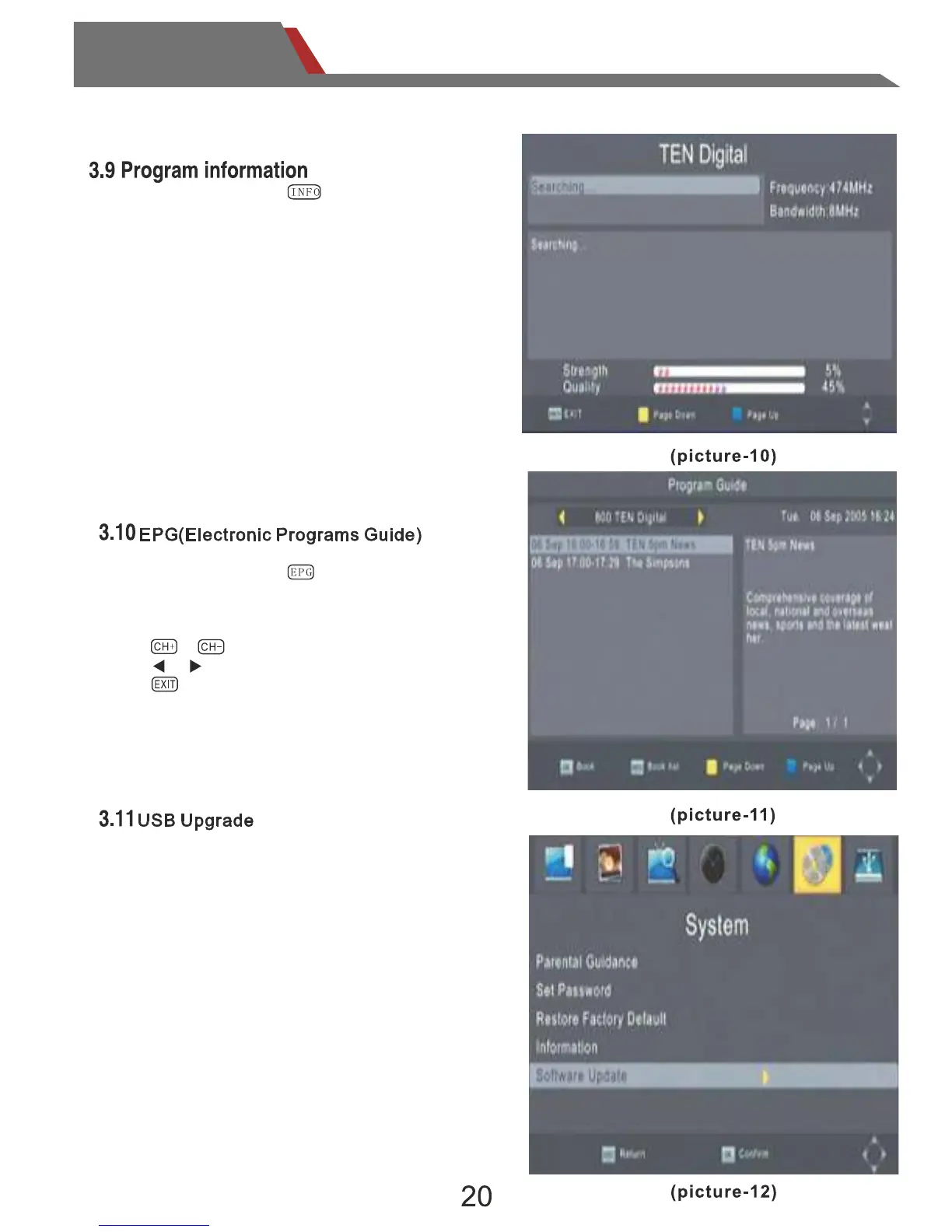
You can update the software of the receiver
with New software version
1. Copy the upgrade file into USB disk.
2. Get into system item of software update
function.
3.Select up grade process , don't take of the
power supply.
Otherwise the system will fail and can not
power on any more.
In the play menu,press ,enter the EPG menu.
In the EPG menu,it will display channel name,
date of the program guide, the program schedule
and the program introduction.
Press or ,to switch options;
Press or ,to switch options;
Press ,exit the EPG menu.
In the play menu,press ,enter the “INFO”
key to show the information of current programs
when it is in normal playing state. Press again
to show more detail information.


 To Next Page