16
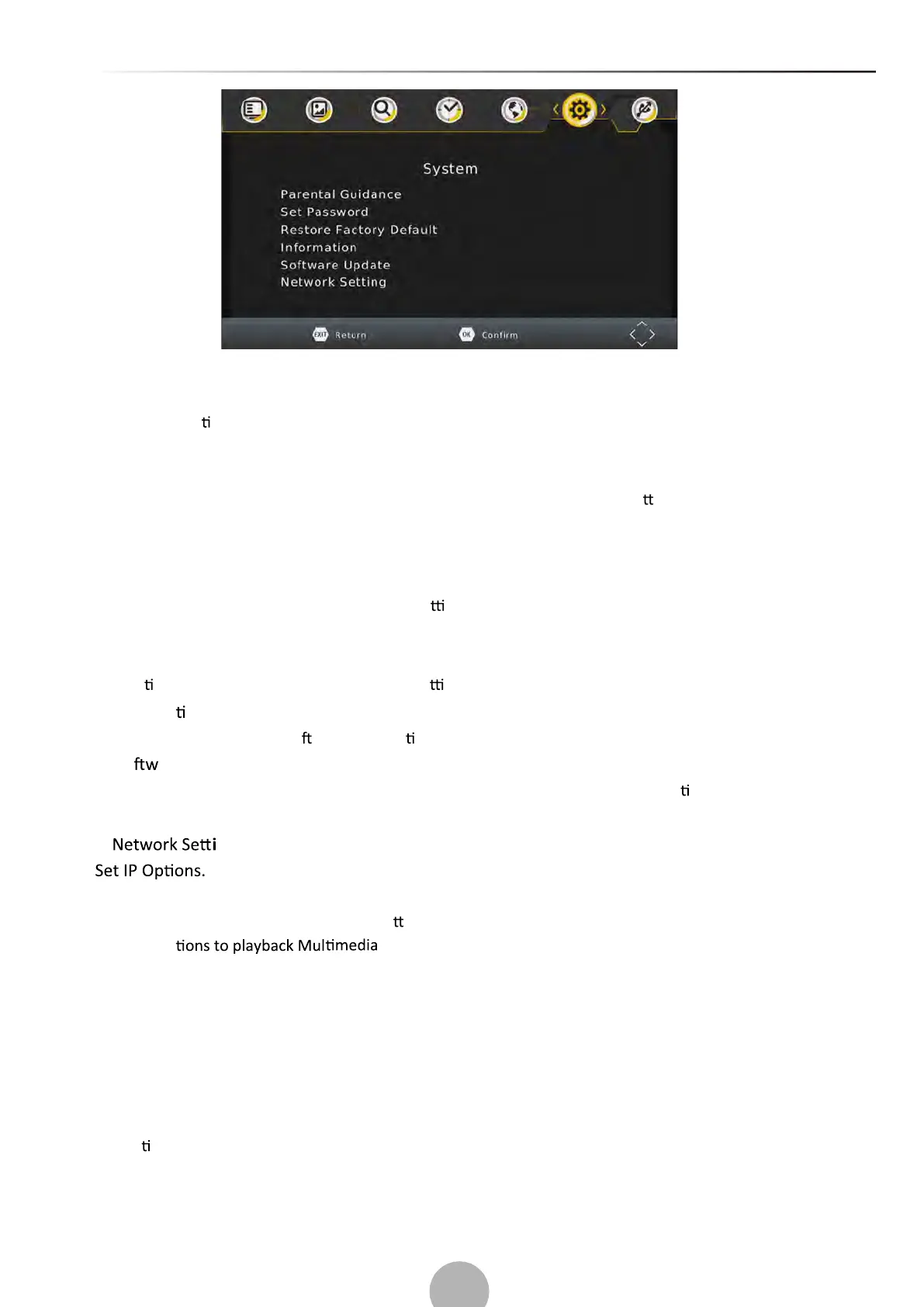
(a) Parental control
When DVB-T box is used by children it is possible to block certain programs, which are for adults.
NOTE: this func
on must be supported by the channel.
(b) Set Password
Set or change the password for locked programs. Enter your old password or the default password
‘000000’. You will then be asked to enter your new password. Press OK bu
on to confirm your new
password.
Once it is confirmed, press EXIT to exit the Menu. The master unlock password is ‘888888’.
(c) Restore Factory Default
Reset your Set Top Box to the Default Factory Se ngs.
In Main Menu select [Restore Factory Default] using the RIGHT/LEFT keys and press OK or RIGHT to select.
Enter your password or the default password ‘000000’ and press OK to confirm.
This op
on will delete all preset channels and se ngs. The master unlock password is ‘888888’.
(d)Informa on
View model, hardware and so ware informa on.
(e)So are update
Whenever in future there will be available updates on our web site, use this func on to proceed with
upgrade.
(f) ng
(7).USB
To access the Menu, press the MENU bu on and select [USB] using the RIGHT/LEFT keys. The menu
provides op
files. Here is the list of supported formats:
Video Codec: MPEG-2/4 (H.264) / VC - 1/ AVS / H.265 / HEVC
Audio Codec: MPEG - 1 / MPEG - layerⅠ/Ⅱ / MP3 / Dolby Di
gital / Dolb y Digital Plus
IEC958 SPDIF
Conta
iner: TS / MPG / MP4 / AVI / FLV / DIVX
Resolu on: 1080p / 1080i / 720p / 576p / 576i / 480p / 480i
Frame: MPEG-2/4 1080P@30fps (H.264) / 1080p@60fps / VC-1 1920*1080p@30fps / AVS 1080p@60fps /
The unit will only support USB device with FAT32 | NTFS file system.
HEVC 1080p@60fps


 To Next Page