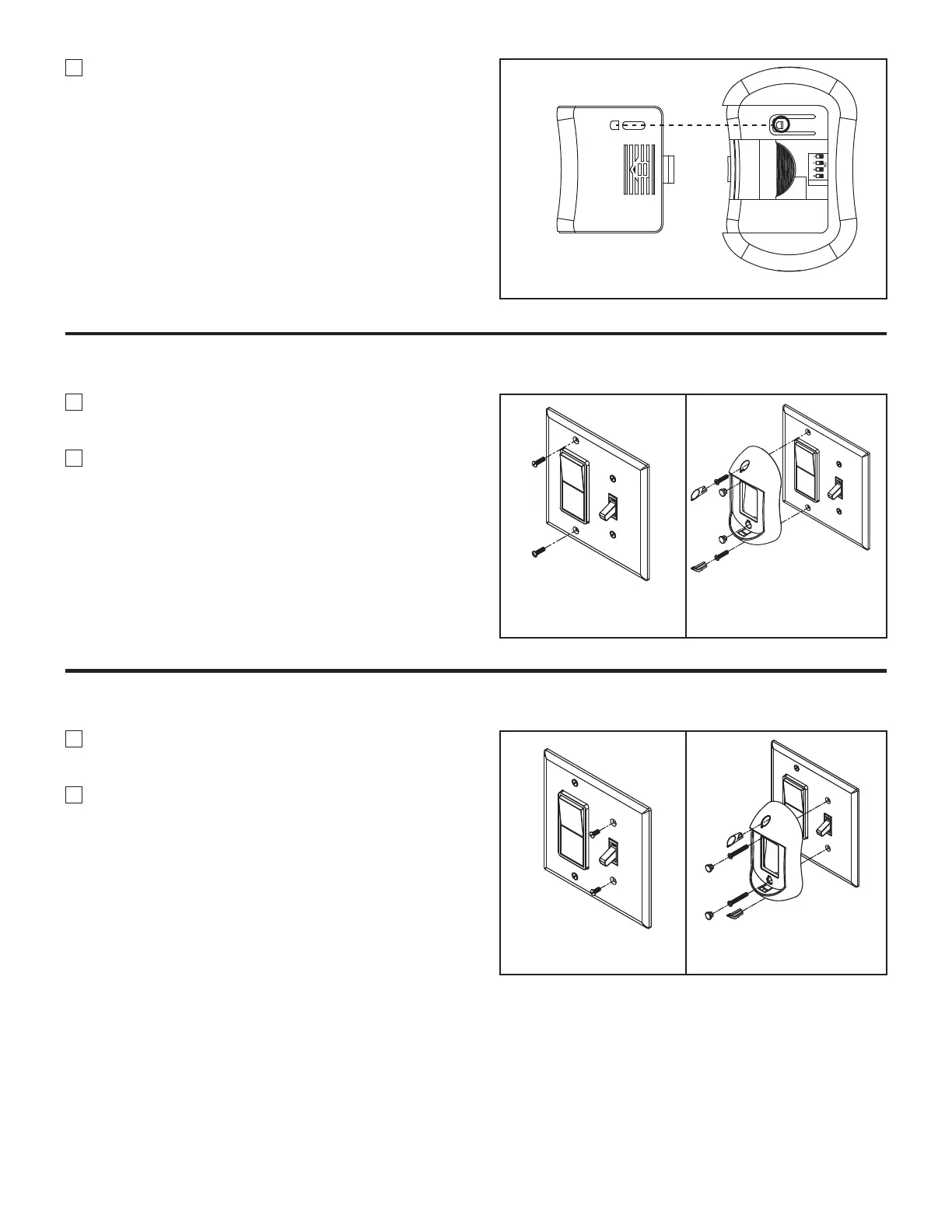
Figure 4
ECE
6. Replace battery cover on remote control. Be sure
the hole of battery cover firmly into the tab. (Figure 4)
1. Unthread two screws from the wall switch plate.
(Figure 1)
2. Install the control bracket with two #6-32x 3/4”
screws. And push the four plastic plug to cover the
screw holes. (Included in the control packaging).
(Figure 2)
How to Install Your Remote Control (Option #1)
Figure 1 Figure 2
1. Unthread two screws from the wall switch plate.
(Figure 1)
2. Install the control bracket with two #6-32x 1”
screws. And push the four plastic plug to cover the
screw holes (Included in the control packaging).
(Figure 2)
How to Install Your Remote Control (Option #2)
Figure 1 Figure 2



 To Next Page