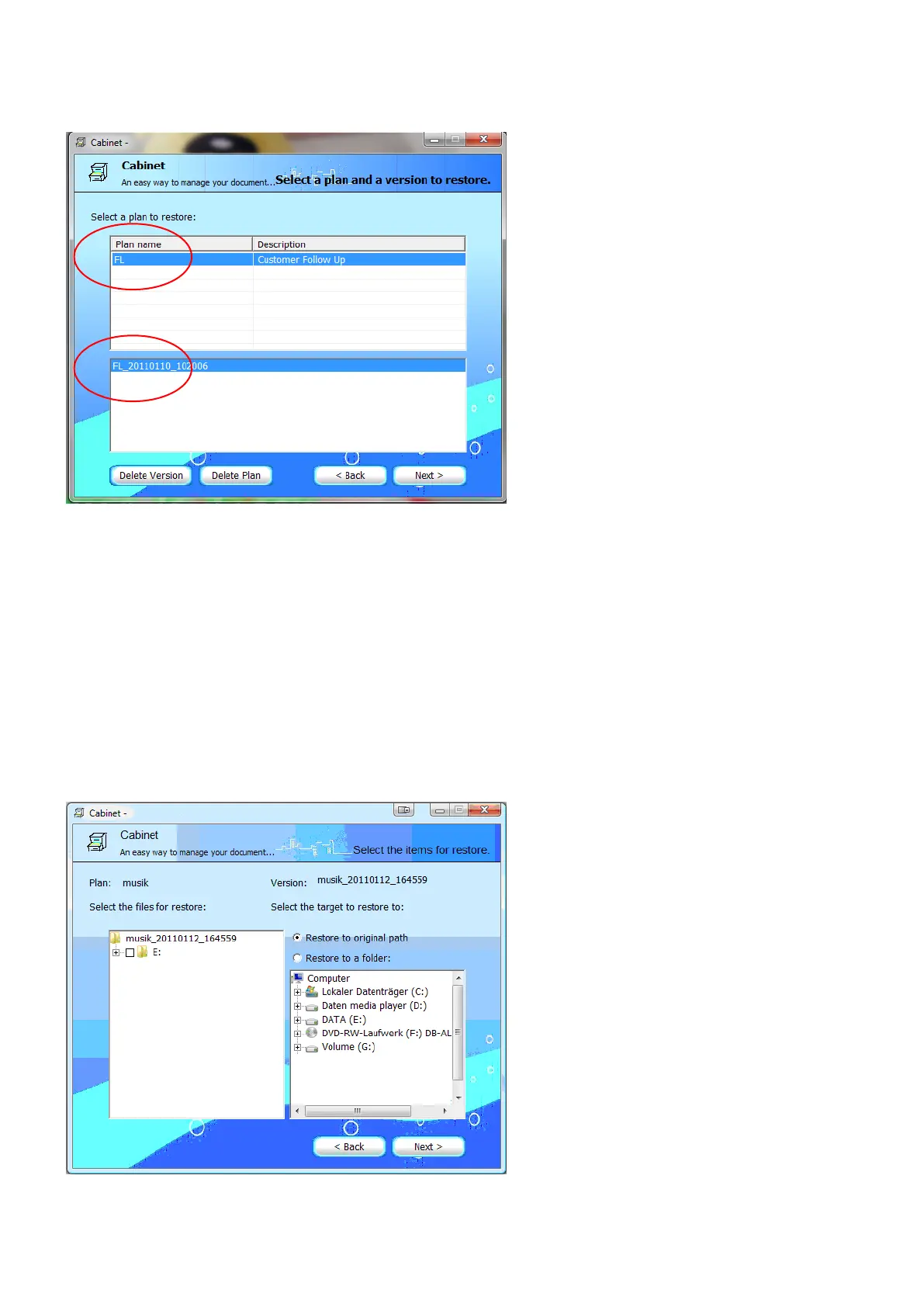
2. Select the restore profile. Click [Next] to go ahead.
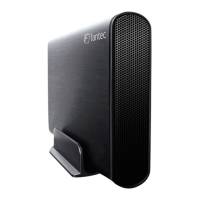
3. On the left side you can select the files that should be restored. On the
right side, you can choose the target folder. Either you can restore to the
original folder or choose a different folder to restore.
Click [Next] to finish the restore settings.


 To Next Page