GB-17
OPERATION INSTRUCTION
is microwave oven uses modern electronic
control to adjust cooking parameters to meet
your needs better for cooking.
1. Clock Setting
1). In waiting state, press “ ”
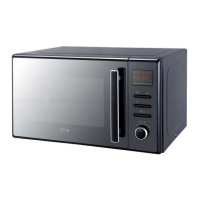
once, “00:00” displays. Hour gures ash.
2). Turn “ ” to adjust the hour gures, the
input time should be within 0-23.
3). Press « », the minute
gures will ash
4). Turn “ ” to adjust the minute gures, the
input time should be within 0-59.
5). Press “ ” to nish clock
setting. “:” will ash.
Note:
a. e clock will not work if is not set when
powered.
b. During the process of clock setting, if you
press “ ”, it will exit the setting
state.
2. Microwave Cooking
1). Press the “ ” key
once and , “P100”
ENGLISH
displays.


 To Next Page