IN T RODUCT ION
5
DIRECT IONS ON THE KE Y BOARD
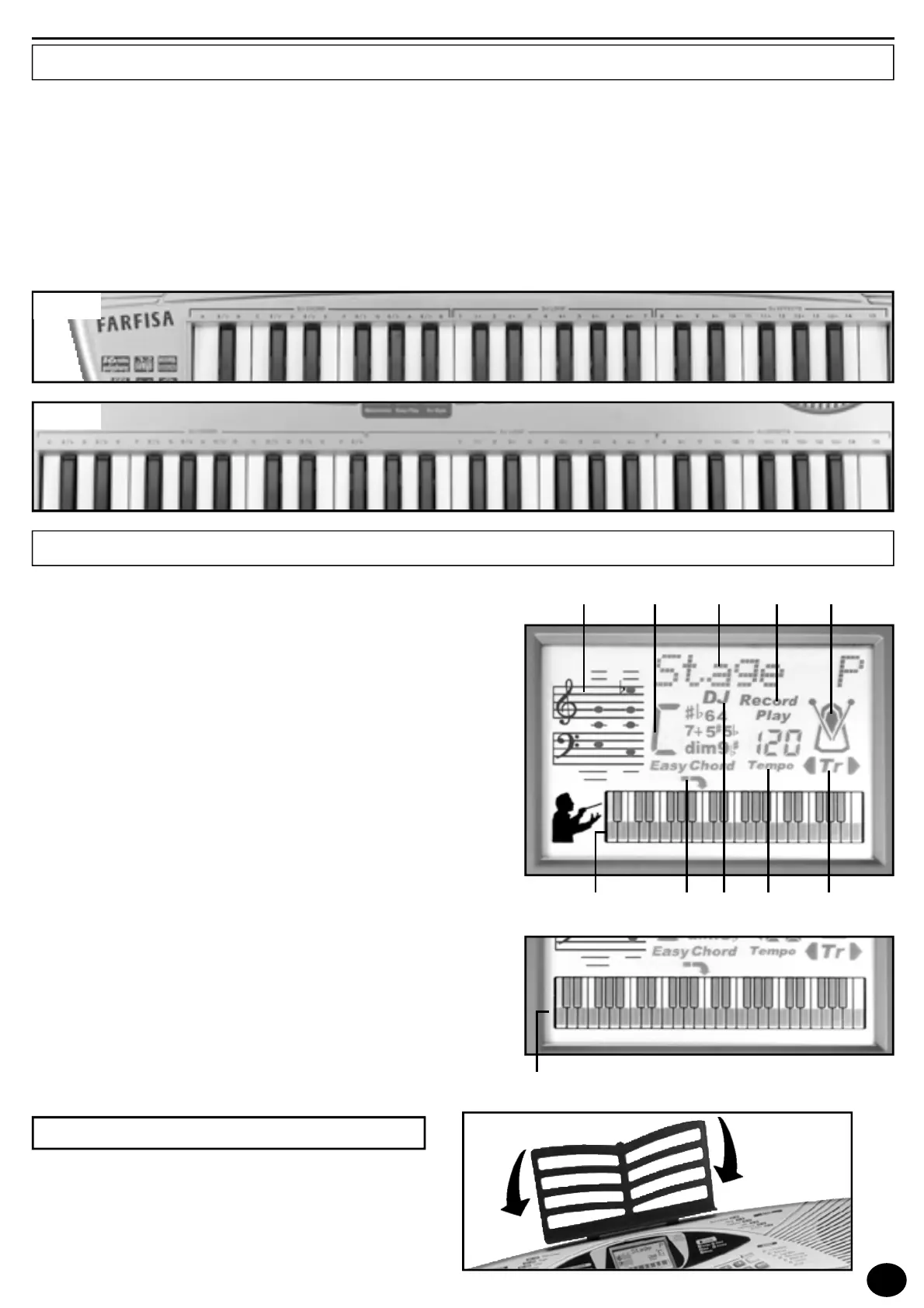
T HE DISPLAY
1) Pentagram with notes displayed.
2) Indication of the identified chord and
Easy Chord
function.
3) Indicates the name of sounds, rhythm styles, volumes and
other functions.
4) Indication of enabled SEQUENCER: “
Record
” or “
Play
”.
5) Metronome icon, shows beat tempo.
6) Indicates “TRANSPOSER” is active (transposition high or
low).
7) Indicates the tempo of the rhythm style, of the song or of
the metronome.
8) Indicates “DJ STYLE” function is active.
9) Indication of Split point.
10) 40 key keyboard (SK410) showing notes that are pressed or
that have to be pressed if in MAESTRO mode.
11) 49 key keyboard (SK500) showing notes that are pressed or
that have to be pressed if in MAESTRO mode.
Letters on the left
Indicate the basic note for the name of the chord (see pag. 11).
Numbers on the right
Indicate the keys to press to perform the melody with the simplified musical scores in the “Music Book” (see pag. 11).
DJ STYLE sections
The DJ CHORDis on the left side of the keyboard and is used to play the tonality. The DJ LOOP is in the centre and is used
to play the complex harmonies. The DJ EFFECTSis on the right and is used to play the DJ STYLE characteristic effects.
Insert the music-stand in the special holes.
M U S I C - STA N D
SK410
SK500



 To Next Page