SWITCH ON AND SWITCH OFF
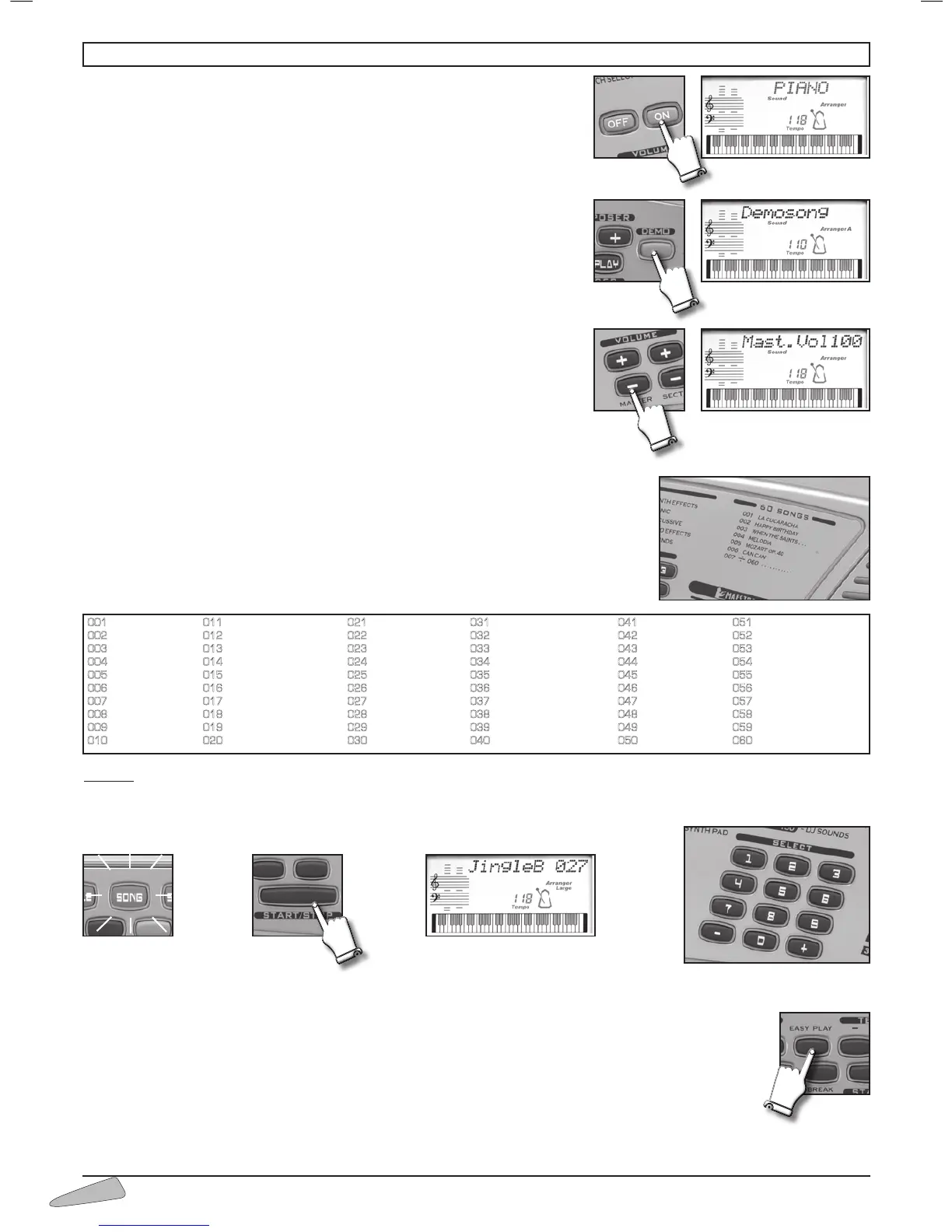
The instrument can be turned on and off by using the ON/OFF button. When tur-
ned on, the keyboard is set to operate with the PIANO sound, the 8 Beat 1
rhythm and the song La Cucaracha.
DEMO – Chosen excerpt
Switching on the DEMO button, a melody that will emphasise the characteristics of
the keyboard will play. To turn off the melody press the DEMO button.
VOLUMES
To regulate the volume of the instrument you must use buttons MASTER
VOLUME + (to turn up) or MASTER VOLUME – (to turn down). By holding
the button pressed down, the variation becomes continuous.
To restore the standard volume press both MASTER VOLUME + and MASTER
VOLUME – buttons together.
SONGS
The instrument contains 60 classic repertoire songs.
To select the songs, enter a three digit number according to the SONGS list.
Example: for song 027 Jingle Bells,
• press the SONG button (light on);
• enter SELECT, 0, 2, 7 on the numerical keyboard;
• press the START/STOP button to start or stop the musical performance.
When a song is being played, you can immediately listen to other songs by entering the number of the song you have chosen or by
using the SELECT “– / +” buttons.
The EASY PLAY control sets the melody of the song and the standard TEMPO on the keyboard.
7. HOW TO USE THE KEYBOARD



 To Next Page