$SSHQGL[(GLWPHQX6\VWHP
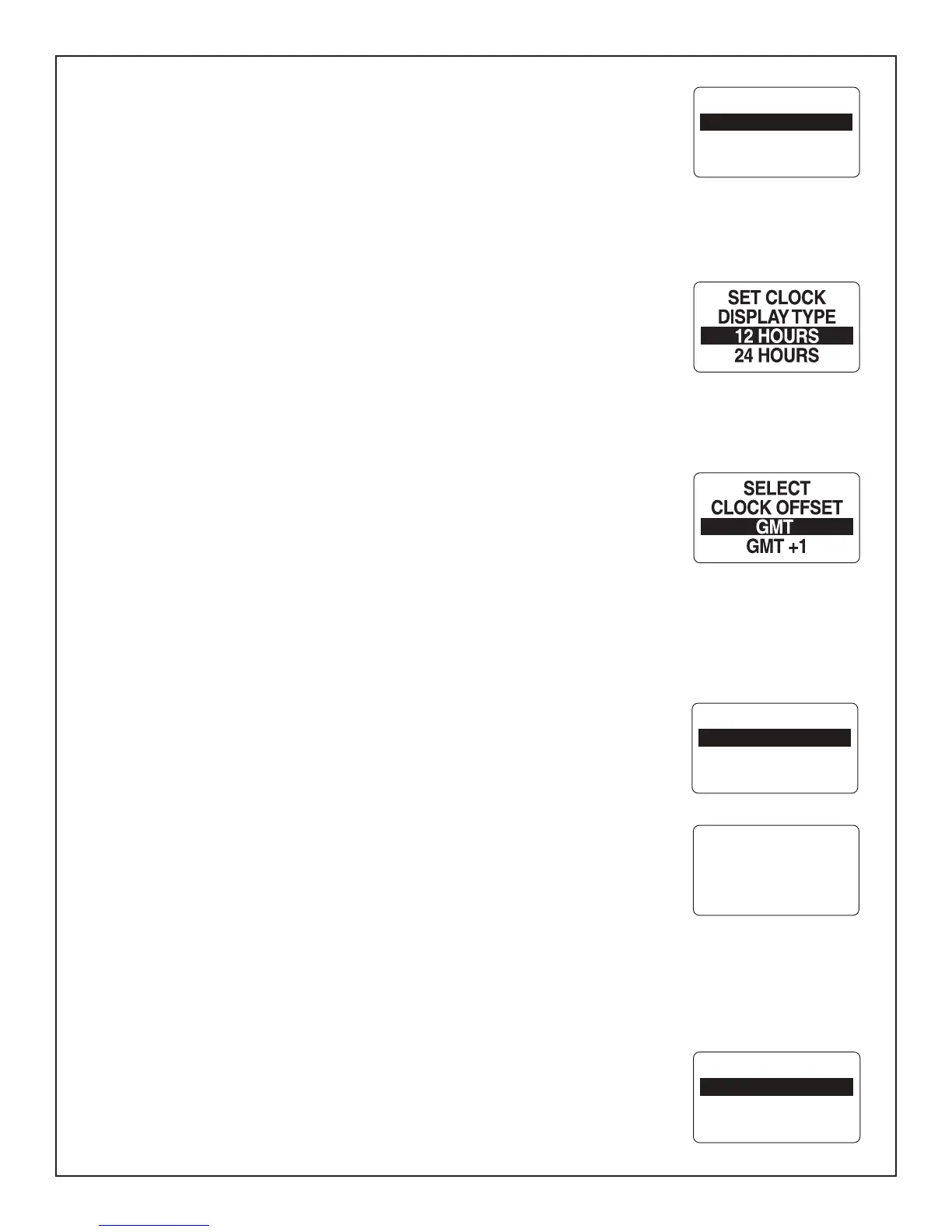
7RVHWWKH&ORFNHQWHUWKH6<67(0PHQXSDJHWKHQ
8VHWKH83RU'2:1EXWWRQVWRVHOHFW&/2&.6(77,1*
2) Press and hold the MODE button to enter the selection.
To change the Clock Data Type:
3) Use the UP and/or DOWN buttons to select TYPE.
4) Press and hold the MODE button to enter the selection.
8VHWKH83RU'2:1EXWWRQWRVHOHFW+285RU+285WLPHIRUPDW
3UHVVDQGKROGWKH02'(EXWWRQWRVDYHWKHVHOHFWLRQ7KH/&'VFUHHQGLVSOD\V
6(77,1*6$9('DQGWKH0*LVVXHVDQDXGLEOHEHHS
To change the time offset:
1) Use the UP and/or DOWN buttons to select TIME OFFSET.
2) Press and hold the MODE button to enter the selection.
3) Use the UP or DOWN button to select the correct TIME OFFSET value.
+ROGWKH02'(EXWWRQWRVDYHWKHVHOHFWLRQ7KH/&'VFUHHQGLVSOD\V6(77,1*
6$9('DQGWKH0*LVVXHVDQDXGLEOHEHHS
Alarms
7KH0*GLJLWDOJDXJHSDFNDJHLVHTXLSSHGZLWKDQ$/$506PHQXWKDWHQDEOHV
WKHXVHUWRYLHZFXUUHQWDQGSDVWDODUPV
Viewing Current Alarms
7RYLHZWKHFXUUHQWDODUPVHQWHUWKH6<67(0PHQXSDJHWKHQ
8VHWKH83RU'2:1EXWWRQVWRVHOHFW$/$506
2) Press and hold the MODE button to enter the selection.
3) Use the UP or DOWN buttons to highlight VIEW.
4) Press and hold the MODE button to make the selection.
,IWKHUHDUHFXUUHQWDODUPVWKHVFUHHQZLOOVKRZWKH¿UVWDODUP8VHWKH83RU'2:1
EXWWRQVWRYLHZDOODODUPV:KHQ¿QLVKHGSUHVVWKH02'(EXWWRQWRHVFDSH
Note: Date information is only available if a NMEA GPS antenna is in the system.
,IWKHUHDUHQRFXUUHQWDODUPVWKHVFUHHQZLOOGLVSOD\126725('$/$506)281'
IRUWZRVHFRQGVDQGWKH0*LVVXHVDQDXGLEOHEHHS
Clear Alarms
7RFOHDUDOODODUPVLQWKH0*HQWHUWKH6<67(0PHQXSDJHWKHQ
Warning: This will clear all recorded alarms the MG3000 has recorded and this action
ALARMS
VIEW
CLEAR
ALARMS
CLEAR
VIEW
CHECK
ENGINE
ACTIVE
06/10/09
Page 14
SYSTEM INFO
CLOCK SETTING
SET UNITS
SELF-TEST



 To Next Page