$SSHQGL[(GLWPHQX)XHO6HW8S
Fuel Set Up
)XHO6HW8SLVXVHGWRGH¿QHWKHFKDUDFWHULVWLFVDVVRFLDWHGZLWKHDFKWDQNLQWKHV\VWHP
DQGWKH7RWDOL]HU)XQFWLRQV8VHWKH)XHO6HW8SVFUHHQVWRDGGIXHOUHVHWWKHIXHO
used, set the tank size, select the fuel sender, calibrate the fuel sender, set the low fuel
warning and select the fuel remaining source for each tank. The Totalizer settings are
used to reset Totalizer fuel data and to set the Totalizer low fuel warning.
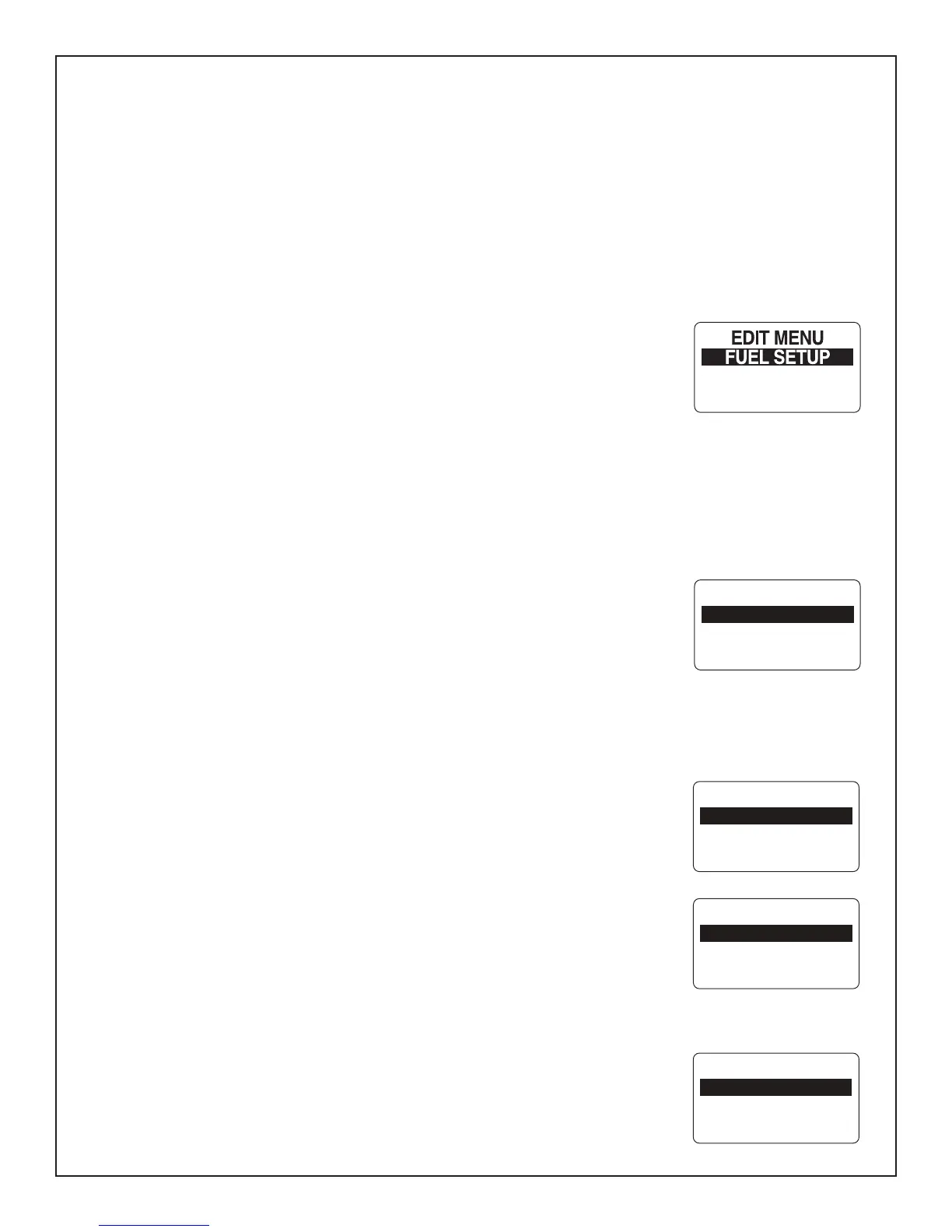
7RHQWHUWKH)8(/6(783PHQX
)URPWKH1250$/PRGHSUHVVWKH02'(EXWWRQRQFH
2) Use the UP or DOWN buttons to select EDIT MENU.
3) Press and hold the MODE button to enter the selection.
8VHWKH83RU'2:1EXWWRQVWRVHOHFW)8(/6(783
5) Press and hold the MODE button to enter the selection.
Fuel Tank Setup
8VH)8(/6(783SDJHWRVHWIXHOWDQNFDSDFLW\VHOHFWIXHOVHQGHUFDOLEUDWHIXHO
sender, set the low fuel warning, add fuel, reset fuel used, and select fuel remaining
source for each fuel tank.
)ROORZWKHVWHSVEHORZIRUSHUIRUPLQJHDFKRIWKHVHWDVNV
1) Use the UP or DOWN buttons to select the fuel tank you wish to make adjustment
to.
2) Press and hold the MODE button to enter the selection.
)ROORZWKHVWHSVLQWKHQH[WVHFWLRQV
Setting The Fuel Level
6HWWLQJWKH)XHO/HYHOLQWKH0*WDFKRPHWHULVSHUIRUPHGLQWKH3257WDFKRPHWHU
if more than one MG3000 tachometer is in use. To set the fuel level to full enter the
)8(/6(783PHQXSDJHWKHQ
8VHWKH83RU'2:1EXWWRQVWRVHOHFW6(7)8//
3UHVVDQGKROGWKH02'(EXWWRQWRVHWIXHOWDQNWR)8//
$WSURPSW6(77$1.)8//XVHWKH83RU'2:1EXWWRQVWRVHOHFW<(6WKHIXHO
WDQNLVIXOORU12WRUHWXUQWRWKH6(7)8(/PHQX
4) Use the MODE button to make the selection.
,I<(6ZDVVHOHFWHGWKH/&'VFUHHQZLOOGLVSOD\6(77,1*6$9('DQGWKHQUHWXUQ\RX
WRWKH6(7)8(/PHQX
Adding Fuel to the Fuel Tank:
8VHWKH83RU'2:1EXWWRQVWRVHOHFW$'')8(/
3UHVVDQGKROGWKH02'(EXWWRQWRHQWHUWKH7$1.$''PHQX
3) Use the UP or DOWN buttons to set the volume of Fuel that has been added to
MAX SPEED
DISPLAY
FUEL SETUP
T:1 FUEL1
T:2 FUEL2
T#: FUEL#
SET FULL
ADD FUEL
SET TANK FULL
NO
YES
T#: FUEL#
ADD FUEL
SET FULL
Page 17



 To Next Page