$SSHQGL[(GLWPHQX'DWD6RXUFHV
Data Sources
Use DATA SOURCES to set the engine instance and to set or reset the maintenance
LQWHUYDO IRU WKH HQJLQH 8VH WKH GDWD VRXUFH PHQX WR VHW WKH LQVWDQFH ,' IRU WKH ´
JDXJHVFRQQHFWHGWRWKHWDFKRPHWHUIRU%DWWHU\DQG2LO/HYHOJDXJHV
7KH0*WDFKRPHWHULVFDSDEOHRIXVLQJXSWR¿YHDQDORJVHQGHUVIRU)XHO7ULP
Ballast, Bait Well, Rudder, Fresh Water, Gray Water or Black Water.
Refer to your manufacturers Gauge Installation Guide of installation instructions for
LQSXWYDOXHV7RHQWHUWKH'$7$6285&(6PHQX
)URPWKH1250$/PRGHSUHVVWKH02'(EXWWRQRQFH
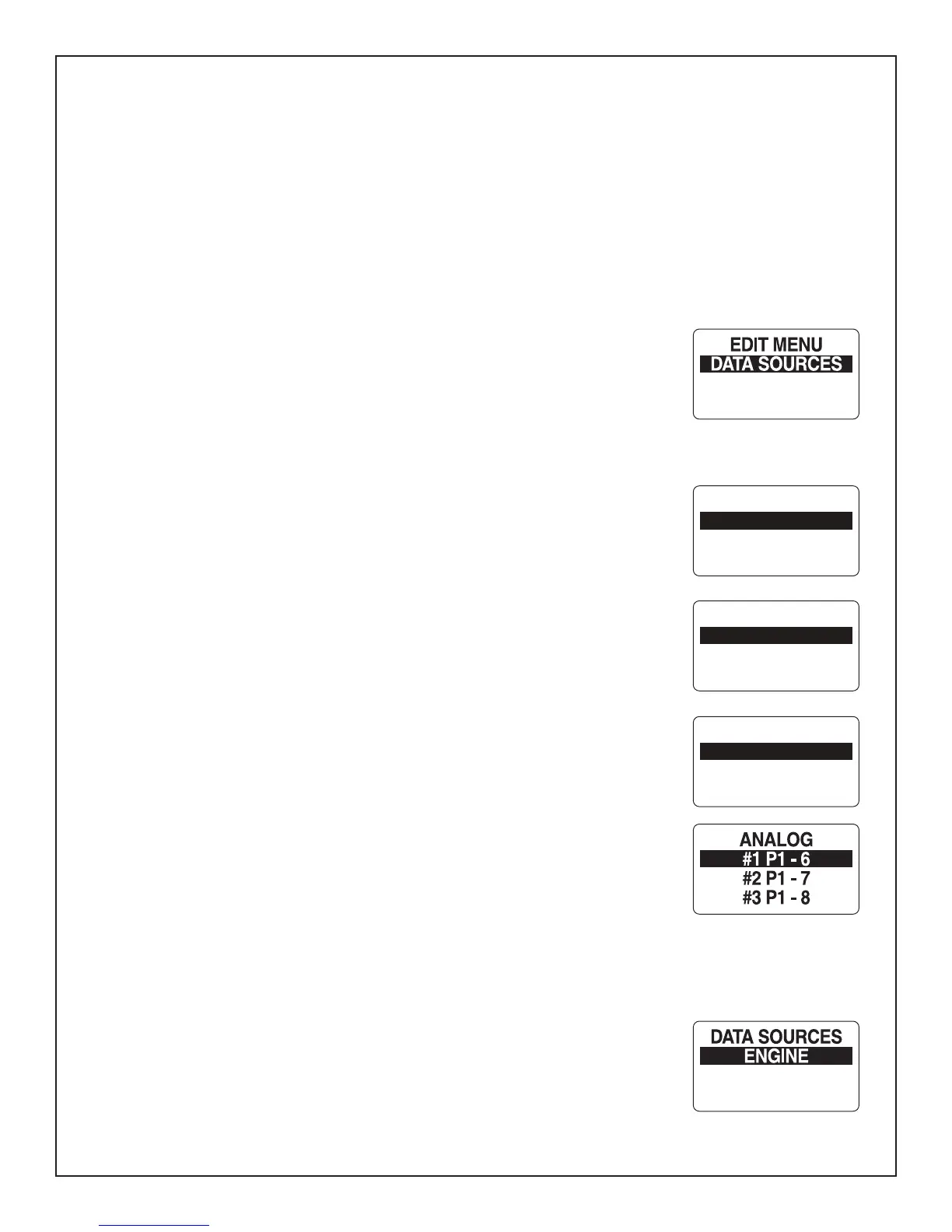
2) Use the UP and/or DOWN buttons to select EDIT MENU.
3) Press and hold the MODE button to enter the selection.
4) Use the UP or DOWN buttons to select DATA SOURCES .
5) Press and hold the MODE button to enter the selection.
Tanks
The Tanks data source is where the source of the information that is received from a
SDUWLFXODUWDQNZLOOGLVSOD\7KH0*WDFKRPHWHUFDQGLVSOD\LQIRUPDWLRQ IURPDQ
analog (US 240-33, EU 10-180 Fuel Senders), or digital sources (Bus Data). To make
FKDQJHVWRWKHWDQN¶VGDWDVRXUFHHQWHUWKH'$7$6285&(6PHQXSDJHWKHQ
8VHWKH83DQGRU'2:1EXWWRQVWRVHOHFW7$1.6
2) Press and hold the MODE button to enter the selection.
8VHWKH83RU'2:1EXWWRQVWRVHOHFWWKH7$1.WRPDNHFKDQJHVWR
4) Press and hold the MODE button to enter the selection.
8VHWKH83RU'2:1EXWWRQVWRVHOHFW7$1.6285&(
3UHVV DQG KROG WKH 02'( EXWWRQ WR VDYH WKH QHZ VHOHFWLRQ 7KH /&' VFUHHQ
GLVSOD\V6(77,1*6$9('DQGWKH0*LVVXHVDQDXGLEOHEHHS
Note:,IDQ$QDORJVRXUFHLVSLFNHG\RXZLOOEHSURPSWHGWRFKRRVHZKLFKSLQWKHDQDORJ
VLJQDOLVDWWDFKHGWRWKHWDFKRPHWHU6HOHFWWKHFRQQHFWRUSLQZKLFKWKHDQDORJLQSXWLV
DWWDFKHG6HHWKH:LULQJ'LDJUDPRQSDJHIRUDYDLODEOHSLQSRLQWV
5HSHDWIRUDOOWDQNV
Engine
The Engine Data Source was set during initialization. If there is a need to change the
(QJLQH,'HQWHUWKH'$7$6285&(6PHQXSDJHWKHQ
1) Use the UP and/or DOWN buttons to select ENGINE.
2) Press and hold the MODE button to enter the selection.
3) Use the UP or DOWN buttons to select ENGINE ID .
4) Press and hold the MODE button to enter the selection.
CSTM ALARMS
POP UP ALERTS
SPEED SOURCE
STEERING ANGLE
DATA SOURCES
TANKS
ENGINE
SPEED SOURCE
TANK SOURCE
T1: XXXXX
T2: XXXXX
T1: XXXX2
TANK 1 SOURCE
US 240-33
EU 10-180
BUS DATA - 0
Page 24



 To Next Page