Fasep 2000 srl Rev. 1.1
Balatron 202: User’s Manual June,1 2013
6-i
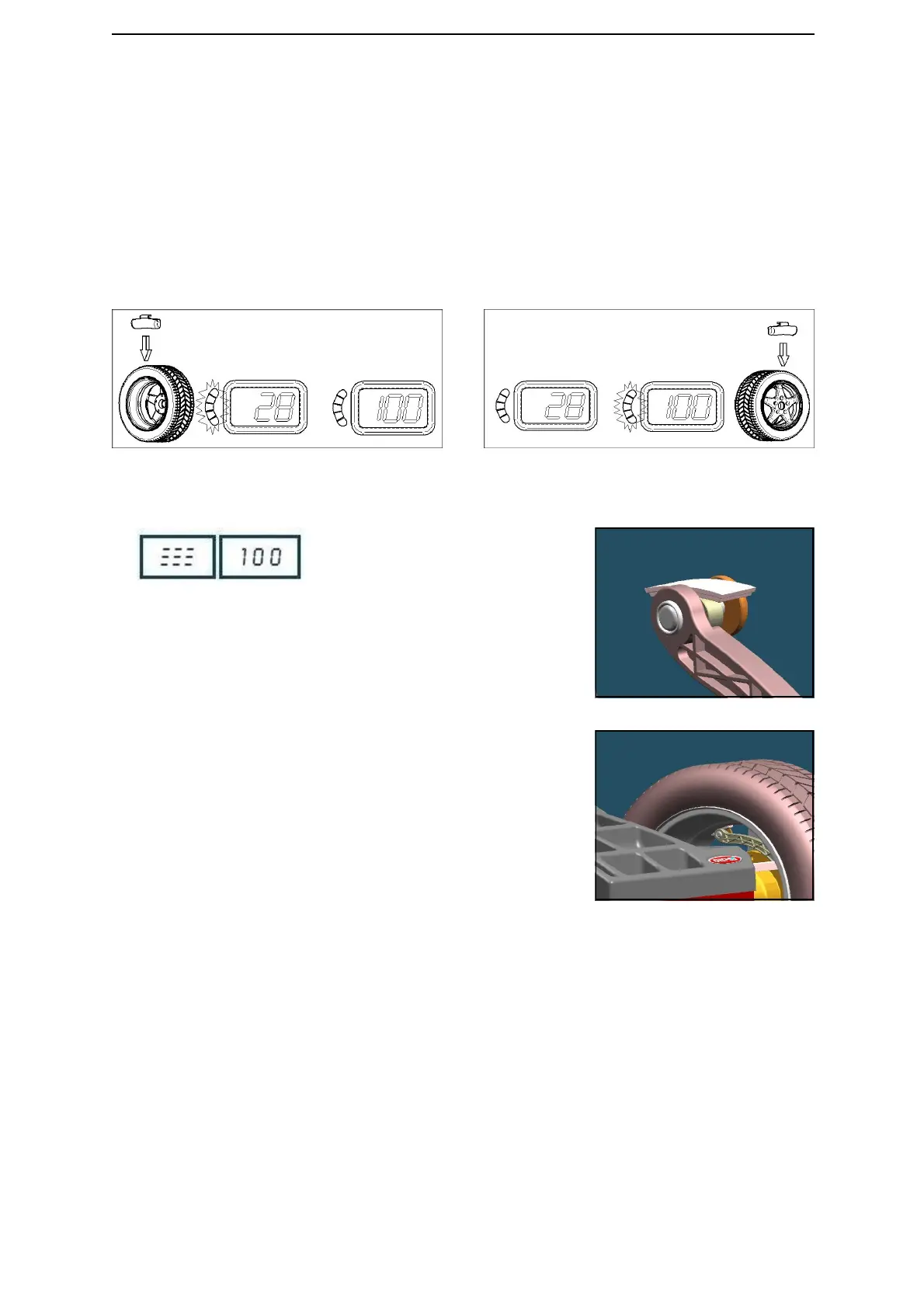
FIG. 27: inside weight indication
FIG. 28: outside weight indication
FIG. 30
FIG. 31
5.3 Input of Rim Dimensions
5.3.1 After setting wheel dimensions, execute the wheel launch using the appropriate wheel spinner.
G NOTE: Acc El: impress greater speed.
rEd UCE : reduce the speed.
Go od: the speed is corrected.
5.3.2 When appears the blinking writing ST OP, stop the wheel and apply the appropriate weights.
5.3.3 If unbalance shown is GOOD, press <FINE> to show residual unbalance.
5.4 How to apply the weight using ALU-SE indicator (Optional).
Place the weight (Fig. 30).
Turn the wheel to the position (Fig. 27, Fig.
28).
Move the rod until /// appears on the
display ( picture on the left).
Apply the weight (Fig. 31).


 To Next Page