Fasep 2000 srl Rev. 1.1
Balatron 202: User’s Manual June,1 2013
4-i
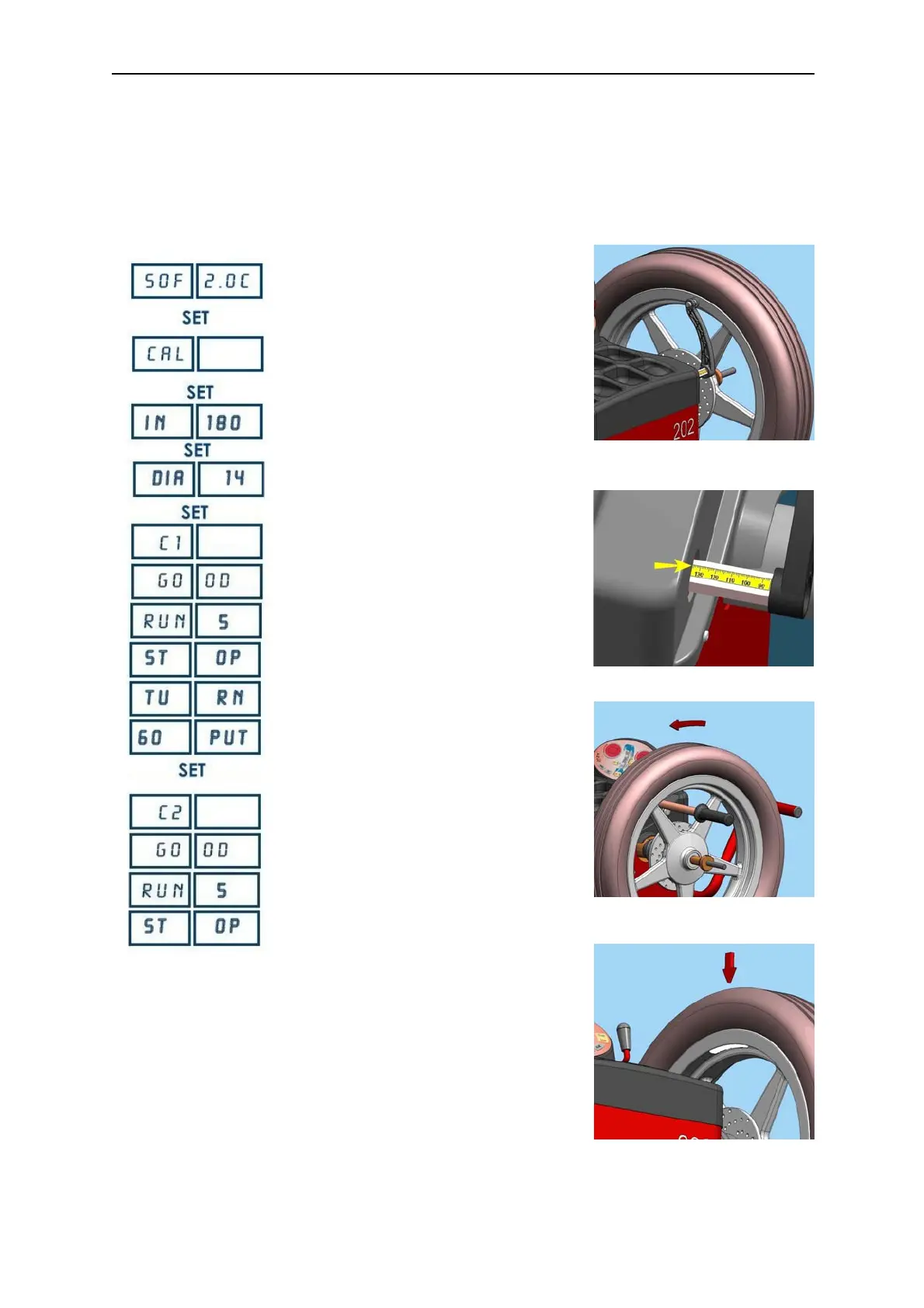
FIG. 7
FIG. 8
FIG. 9
FIG. 10
4 CALIBRATION
4.1 How to calibrate the Wheel Balancer (USER)
NOTE the following symptoms indicate need for calibration:
a) check calibration program
fails.
b) constant low or high weight readings.
c) indicated point of
unbalance constantly wrong
d) m
ore than 2 spins required to balance wheels repeatedly
Switch on the wheel balancer.
Press <SET> when SOF X.XX (software version) is
displayed. It will appear CAL on the left display.
Press <SET> to start the calibration program.
Insert the distance measurement (IN) (Fig. 8).
Insert the diameter measurement (DIA).
Spin the wheel using the wheel spinner (Fig. 9).
NOTE: ACC EL: impress greater speed.
RED UCE: reduce the speed.
GO OD: the speed is corrected.
Turn the wheel until the writing 60 PUT is displayed.
Apply a 60g adhesive weight on the internal side of the
wheel (Fig.11).
Press <SET>; while the wheel is maintained in the
point of the application of the weight, on the display of
left appears C2.
Spin the wheel using the wheel spinner.
End of calibration.
Press <MODE/ESC> to return to normal balancing
mode.
NOTE technical calibration is only available for qualified personnel.


 To Next Page